
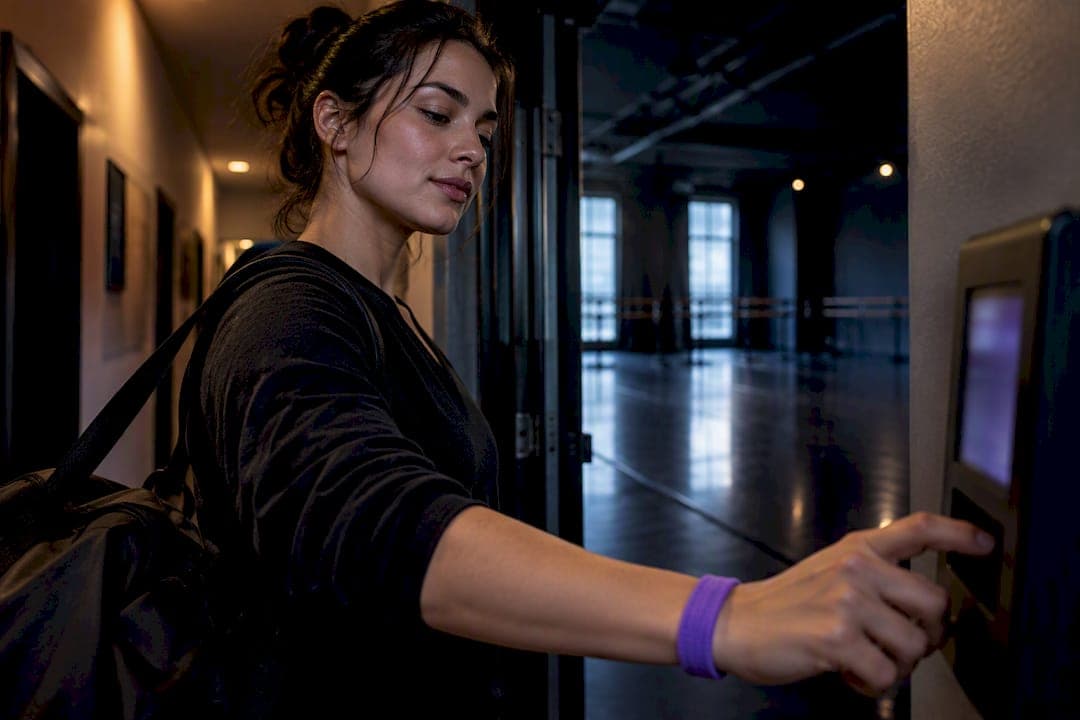
The most reliable setup pairs a mobile time clock with teacher self-logging, admin approval before payroll, and clear categories for non-class work. This combination fits how dance studios actually operate: instructors move between locations, teach split shifts, and do unpaid-looking prep that still counts as work. Whatever system you choose, you're also on the hook for federal recordkeeping rules, so accuracy and retention matter as much as convenience.
TL;DR:
- Mobile self-logging with geofencing offers a reliable, low-friction method for instructors working at multiple locations, supplemented by admin approval to ensure accuracy.
- Non-class work such as choreography prep, meetings, and admin tasks must be tracked separately with clear notes and tags to ensure proper payment and prevent disputes.
- Recordkeeping must include daily hours, pay basis, and rates, with at least two to three years of retention, and records should be consistent and traceable for audits.
- Exporting time records into payroll should involve separate categories for regular, overtime, and non-class hours, with weekly audits to catch errors efficiently.
- A dedicated studio management platform like StudioFlare streamlines process integration, reducing double-entry and making compliance easier through built-in attendance, time clock, and payroll exports.
Table of Contents
- Practical timekeeping methods for dance instructors
- How to set up a mobile time clock and self-logging workflow
- How to track non-class work so instructors get paid fairly
- Compliance essentials: what to record and how long to keep records
- Turn time records into payroll-ready data and simple audit checks
- Operational best practices to reduce admin and prevent instructor burnout
- Why studio-specific tools matter for time and compliance
- A practical way to put these recommendations into practice
- Sources
- FAQ
Practical timekeeping methods for dance instructors
Studios generally choose from three approaches, and each trades accuracy against friction differently.
A fixed on-site time clock works fine for instructors who teach at one location on a set schedule, but it breaks down fast for guest teachers or anyone covering classes at a second studio. Mobile self-logging, where instructors clock in from a phone or tablet, handles multi-site and split-shift schedules far better and cuts down on the "I forgot to punch in" problem that plagues paper sheets. Geofenced clock-in, which checks that an instructor is physically at the studio when they log time, adds a layer of verification with almost no extra effort from staff.
- On-site clock: accurate for single-location instructors, but useless for traveling or guest teachers.
- Mobile self-logging: low friction, works across multiple studios, but needs admin review to catch errors.
- Geofenced clock-in: reduces the verification burden for split-shift and multi-site instructors without requiring manual sign-off on location.
For most studios, mobile self-logging with either geofencing or a quick admin check hits the right balance: instructors log their own hours in real time, and owners still get a verification step before anything reaches payroll.
How to set up a mobile time clock and self-logging workflow
You can have this running within a week if you follow a simple sequence.
- Send each instructor a unique login or app invite so their time entries are tied to their own account, not a shared device.
- Walk through a short training script covering how to clock in, clock out, and log non-class hours, ideally in a five-minute onsite demo rather than an email.
- Set up an approval queue so an admin reviews and confirms entries before each pay period closes.
- Publish a simple edit and dispute policy: instructors flag errors within 48 hours, admins correct and initial the change.
- Run a daily glance and a weekly full check to catch missing punches, duplicate entries, or hours logged outside scheduled class times.
Pro Tip: Set a recurring 10-minute Friday review where you scan the week's entries before Monday's payroll cutoff, catching errors while instructors still remember the details.
How to track non-class work so instructors get paid fairly
Class time is the easy part. Prep, admin, and meetings are where studios most often underpay without meaning to.
- Lesson planning and choreography prep: logged as a separate entry, not folded into class time.
- Parent or student meetings: tracked with a brief note on purpose and duration.
- Administrative tasks: costume coordination, recital planning, or front-desk coverage, tagged by category.
- Staff meetings and training: counted as compensable time when attendance is required.
The policy question is simple: if you require it, you pay for it. Use job codes or tags so payroll reports separate class time from prep and admin time, and ask instructors to add a one-line note on longer non-class entries. This small habit prevents disputes later and gives you real data on how much unpaid-looking work your program actually needs.
Compliance essentials: what to record and how long to keep records
The Fair Labor Standards Act requires employers to record, for every non-exempt employee, the hours worked each day, total hours each workweek, the employee's pay basis, their regular rate, and the pay period dates. There's no mandated format: a time clock, a timekeeper, or employee self-reporting all satisfy the rule as long as the records are complete and accurate.
Retention periods matter just as much as the fields you capture. Time cards and related source documents must be kept for at least two years, while payroll and identifying records need three years of retention, a distinction that trips up studios who assume one retention clock covers everything.

For studios with fairly regular weekly schedules, you can record the standard schedule once and simply note exceptions when someone works more or less than planned, a shortcut the FLSA explicitly allows. What auditors and payroll processors actually check is whether your records are consistent and traceable, not which app produced them.
Turn time records into payroll-ready data and simple audit checks
A time-tracking system earns its keep when it feeds payroll cleanly instead of creating a second round of data entry.
- Export format: look for CSV or direct payroll integration that separates regular hours, overtime, and non-class categories.
- Weekly audit: scan for missing punches, overlapping entries, and unexplained rounding before you approve the batch.
- Exception log: keep a short written note for anything outside the norm, a canceled class, a covered shift, a late clock-in.
- Accountant-ready summary: generate a simple report by instructor and pay period so your bookkeeper isn't reconstructing hours from raw punches.
This routine takes fifteen minutes a week and prevents the kind of payroll correction that costs far longer to untangle after the fact.
Operational best practices to reduce admin and prevent instructor burnout
Time tracking works better when the underlying schedule doesn't fight against it.
- Block dedicated prep and admin time on the schedule instead of expecting instructors to squeeze it in unpaid between classes.
- Set clear response windows for parent messages and staff questions so instructors aren't answering texts at 9 p.m. and logging it as an afterthought.
- Use templates for recurring communication like recital updates or makeup class policies, cutting the repetitive work that eats unrecorded time.
- Limit how many different class preps any one instructor juggles in a week, which keeps their actual workload closer to what gets logged.
Time-management practices like blocking prep time and setting communication windows lower the "always-on" pressure that leads to burnout, and they make the resulting time logs more predictable for everyone doing payroll.
Pro Tip: Rotate recital and costume coordination duties across instructors each season instead of defaulting to the same person, spreading both the workload and the administrative hours more evenly.
Why studio-specific tools matter for time and compliance
Generic time-tracking apps don't know the difference between a rehearsal, a private lesson, and a costume fitting, which means instructors end up re-entering the same hours in two systems. A tool built around dance studio operations can tie attendance, class tags, and payroll export together in one record, cutting the double-entry that causes most timesheet disputes. That single-source approach also makes audits simpler, since every hour traces back to one class or category instead of a patchwork of spreadsheets and text threads.
— StudioFlare Team
A practical way to put these recommendations into practice
If you're piecing together the setup described above from a time clock app, a separate scheduling tool, and a spreadsheet for prep hours, StudioFlare handles the same recommendations inside one dance studio management platform.

- Staff time clock: instructors log hours from their own account, matching the mobile self-logging approach covered earlier.
- Attendance and check-in tools: tie class records directly to the hours instructors actually taught.
- Payroll export: turns approved time entries into payroll-ready data without a second round of manual entry.
- Tags for prep and admin work: keep non-class hours separate and documented, the way the compliance section above recommends.
StudioFlare charges $29 per month on the Starter plan or $49 per month on Pro, plus $1 per active student, with no setup fee and no contract. If you're comparing it against a Mindbody-style platform built for general fitness rather than dance, the difference in fit shows up most in the class-specific time and attendance features rather than in price. You can create your studio account directly and see how the setup runs against your current schedule.
Sources
- Fact Sheet #21: Recordkeeping Requirements Under the FLSA
- May 2023 Occupational Employment and Wage Statistics — Dancers and Choreographers
- Motivation and Time Management as an Online Instructor — Mizzou Online
FAQ
How much should a dance teacher charge per hour?
Pay varies by market and experience, but the Bureau of Labor Statistics reports a mean hourly wage of $29.56 for dancers as of May 2023, with wages ranging from $14.15 at the 10th percentile to $48.14 at the 90th. Studios should treat this as a starting benchmark and adjust for local cost of living and instructor experience.
What are some good activities for tracking time?
Clocking in and out through a mobile app, logging prep and admin hours as separate categories, and doing a short weekly audit of entries all count as practical tracking activities. Blocking dedicated prep time and setting response windows also makes the resulting time records more consistent.
What are some good apps for dance teachers?
Dance teachers benefit most from apps that combine class scheduling, attendance, and time logging in one place rather than juggling separate tools like Allegro's weekly studio loop designed specifically for music teachers. StudioFlare builds staff time clock and payroll export directly into its class and attendance features, while tools like Allegro focus specifically on weekly planning and workload tracking for teaching schedules.
What age do most dancers quit?
There's no single verified age at which most dancers stop dancing, since it depends heavily on the individual, the style, and whether dance is a career or a hobby. Studios are better served tracking their own retention patterns by age group rather than relying on a general figure.
How long do I need to keep instructor time records?
Under federal rules, time cards and related source documents need to be kept for at least two years, while payroll and identifying records require three years. Any accurate, complete method of recording hours satisfies the requirement, whether that's a time clock, a timekeeper, or self-reporting.