

A dance registration form is a single document, digital or printed, that captures a student's contact details, class choices, payment agreement, and legal waivers before their first class. You have three fast paths to a working one today: copy a field-based template into a form builder, download a fillable PDF and print it at the front desk, or embed a hosted form directly on your studio website. Before you send it anywhere, confirm three things are locked in: a payment authorization method, a signed liability waiver, and an emergency contact with a working phone number.
Skip any of those three and you're chasing down parents mid-season instead of teaching class.
- Copy a template: Use a checklist of standard fields (name, DOB, class, payment) as your starting point.
- Download a PDF: Good for in-person sign-ups at open houses or the front desk.
- Embed a hosted form: Best for year-round online enrollment with no printing involved.
Key Takeaways
The most effective dance registration form pairs a short, mobile-friendly field set with explicit payment and refund language stated directly on the form, not buried in a separate policy page.
| Point | Details |
|---|---|
| Lead with contact and class fields | Put name, DOB, and class selection before waivers so parents finish the easy fields first. |
| State payment terms in dollars and dates | Vague billing language causes disputes; specific due dates and fees prevent them. |
| Match the template to the registration type | Weekly classes, auditions, and camps each need different fields, not one universal form. |
| Test every form on mobile first | Numeric keypads for phone and DOB fields and an eight-field first screen reduce abandonment. |
| Consider an integrated platform | Studioflare ties registration, Stripe billing, and digital waivers together so nothing is entered twice. |
Table of Contents
- What Fields Belong on a Dance Class Registration Form?
- Templates You Can Copy for Different Registration Types
- What Payment and Refund Language Should You Include?
- Embedding, Hosting, and Mobile Checks Before You Launch
- Why Studios Are Replacing DIY Forms With Integrated Platforms
- What Studios Get Wrong About Registration Forms
- Get Your Registration, Billing, and Waivers Into One System
- Frequently Asked Questions
- Sources
What Fields Belong on a Dance Class Registration Form?
Every field on your form should either help you teach the student better or get you paid faster. Anything else is friction. Here's the order that keeps completion rates high while giving your staff what they actually need on day one.
- Contact information first. Full legal name, preferred name or nickname, date of birth (or age if your studio groups by age band), a primary email, and one phone number. Skip the "secondary phone" field for adults; it rarely gets filled out and slows the form down.
- Guardian and emergency contact. For minors, list a parent or guardian name, relationship to the dancer, and a phone number distinct from the primary contact. Add a line for allergies, medical conditions, and any special needs the instructor should know about before the student steps into the studio.
- Class selection. Include a course ID or class code, class name, day and time, session length in weeks, and assigned instructor. A dropdown works better than free text here because it prevents typos that cause scheduling mixups.
- Payment and billing. Registration fee, tuition amount, chosen payment method, and a checkbox for card-on-file consent. Clarify whether the parent is paying a deposit or the full session up front. Standard registration templates consistently place payment fields right after class selection, not buried at the bottom.
- Waivers and permissions. A liability release, a photo/video release for marketing or livestream use, and a signature line. For minors, the guardian signs and acknowledges on the student's behalf.
- Operational extras. How the family heard about the studio, clothing or shoe size if you sell dancewear, prior dance experience, and a free-text field for notes to the instructor.
Pro Tip: Put the waiver and payment consent near the end of the form, not the beginning. Parents fill out contact and class details first without friction, then commit to the legal and financial pieces once they're already invested in finishing.
Fields with conditional logic, like showing a "medication instructions" box only when a parent checks "yes" to medical conditions, keep the form short for families who don't need it while still capturing detail from those who do.

Templates You Can Copy for Different Registration Types
Not every registration is the same shape. A weekly rec class, a competition team audition, and a summer camp all need different information, and trying to force one universal dance studio registration form template onto all three usually means you're either missing critical fields or asking unnecessary questions on the simpler forms.
Weekly class registration. Build this as one form per student, not one form per family, especially if siblings take different classes at different times. Include the course ID, day/time, instructor, and a single checkbox authorizing recurring auto-billing tied to the session length. Hosted registration systems that use this one-form-per-student pattern report cleaner records because billing and attendance tie directly to one dancer instead of a shared family account.
Competition or audition registration. Add an age category and division field, a spot to upload a music track, a "preferred numbers" section if the dancer competes in more than one routine, and a referring teacher field for scouting purposes. File uploads matter here. Judges and choreographers need the actual music file, not a YouTube link that could break.
Camp or workshop registration. Camps run longer hours and often span multiple days, so you need medication instructions, pick-up authorization naming who can collect the child, and a waiver that covers the full multi-day window rather than a single class session. Recreation council forms that handle multi-week programs typically use checkboxes for each week attended, plus a single umbrella waiver, which cuts down on repeat signatures.
- Keep mobile sign-up forms to eight fields or fewer on the first screen; push waivers and payment to a second screen.
- Use file uploads only for music, headshots, or costume measurement sheets, never for information you could capture in a text field.
- Add conditional logic for anything that applies to a subset of registrants, like "has the dancer competed before" or "does the dancer need special accommodations."
Studios that build conditional logic into their forms tend to see shorter perceived completion times on mobile, because parents never see irrelevant fields in the first place. That's a meaningful difference when most parents are filling this out on a phone between school pickup and dinner.
What Payment and Refund Language Should You Include?
Vague payment terms are the single biggest source of billing disputes studios deal with mid-season. Say the specific dollar amount, the specific due date, and the specific consequence for missing it, right on the form, not buried in a separate policy PDF nobody reads.
Copy-ready clauses studios can adapt:
- "Registration fee of $[amount] is due at the time of enrollment and is non-refundable."
- "Tuition may be paid in full or divided into [number] monthly installments, automatically billed to the card on file on the 1st of each month."
- "A returned check will incur a $[amount] fee, and future payments must be made by card or money order."
- "Open enrollment runs through a defined window during which withdrawals are eligible for a refund; withdrawals after this window are generally non-refundable except in documented medical emergencies."
Studio registration examples commonly pair a deposit-at-registration requirement with a clear returned-check penalty, which gives families no ambiguity about what happens if a payment fails. Larger programs often go further, tying refund eligibility to a defined open enrollment window rather than leaving it open-ended all season.
If you charge a costume deposit or require a recital commitment, state the amount and the date it locks in, separately from tuition. Parents shouldn't discover a $65 costume fee three weeks before the show.
Pro Tip: Never store card numbers in a spreadsheet or email thread. Route every payment through a PCI-compliant gateway like Stripe so your studio never touches raw card data directly, which protects you legally and saves you from a compliance headache you don't have time for.
Embedding, Hosting, and Mobile Checks Before You Launch
Where you put your form matters almost as much as what's on it. An embedded form on your website keeps registrants from bouncing to a third-party page mid-signup, which tends to raise completion rates. A standalone hosted link works better for a QR code on a flyer or a text message blast. A fillable PDF still has its place for walk-in sign-ups at a studio open house, but it means someone on staff has to retype every field into your system later.
- Choose your channel deliberately. Embed for your homepage, host a link for social media and QR codes, use a PDF only when there's no internet access at the point of sign-up.
- Test mobile behavior before launch. Phone and date-of-birth fields should trigger a numeric keypad automatically, not the full alphabet keyboard. Test the actual form on both an iPhone and an Android device, not just in a desktop browser resized smaller.
- Connect the obvious integrations. New registrations should trigger a calendar entry, an automatic confirmation email, and a new record in your student database, without a staff member manually re-entering the same information three times.
- Protect the data you collect. Require a working email for policy notices, keep personal information encrypted at rest, and limit form-response access to the staff who genuinely need it.
Template galleries built for this purpose emphasize mobile compatibility and built-in payment integration as the two features that separate a form that gets finished from one that gets abandoned halfway through.
Why Studios Are Replacing DIY Forms With Integrated Platforms
A standalone form solves registration. It does nothing for what happens after: chasing a missed payment, tracking who signed a waiver, or answering the fortieth "what time is my daughter's class" text of the week. That gap is where manual systems fall apart, usually around week six of the fall session when three separate spreadsheets stop matching each other.
An integrated platform like Studioflare closes that gap by tying registration directly to billing, waivers, and communication instead of treating them as separate tools duct-taped together.
- Built-in registration forms that feed straight into your student roster, no retyping.
- Automated tuition billing through Stripe, including recurring charges and payment plan enforcement.
- Digital waivers collected and stored with the student's file, not a paper folder in a drawer.
- A parent portal where families see their own schedule, balance, and documents.
- Automated confirmation emails and reports that answer the "did they sign up" question without a phone call.
The efficiency gain isn't abstract. Fewer duplicate student records, fewer manually typed billing reminders, and one place your front desk staff checks instead of four.
What Studios Get Wrong About Registration Forms
Most advice on this topic treats the registration form as a one-time document you set up once and forget. That's backwards. The form is a living contract between you and every family in your building, and the studios that get billing disputes and no-show waivers under control are the ones that revisit their form's wording every session, not every few years.
The conventional advice to "keep it short" also deserves pushback. Short forms that skip payment terms or waiver specificity don't reduce friction; they just move that friction to a phone call in October when a parent disputes a charge they don't remember agreeing to. The fix isn't fewer fields. It's clearer, plainer language on the fields that matter most: payment dates, refund windows, and who's authorized to pick up a child.
If you take one thing from this, prioritize your payment and refund clauses before you polish anything else. A form with a slightly clunky layout but airtight billing language will save you more headaches this season than a beautifully designed form with vague policy text.
Get Your Registration, Billing, and Waivers Into One System
Studioflare replaces the patchwork of PDF forms, spreadsheets, and group texts most studios run on with one system where registration, tuition billing, and waivers live together instead of in three different places you have to cross-check by hand.

If you've been building forms in Jotform or Wufoo and then manually entering every registrant into a separate billing tool, that gap is exactly what Studioflare closes. Registration data flows straight into automated Stripe billing, digital waivers attach to each student's file automatically, and parents get their own portal instead of texting you for their balance. For studios comparing options against Jackrabbit Dance or iClassPro, the difference usually comes down to how much manual reconciliation you're still doing between separate registration and billing systems. Create your studio account and set up your first registration form today.
Frequently Asked Questions
What fields are required on a dance class registration form?
At minimum, include full name, date of birth, contact information, emergency contact, class selection, and a signed liability waiver. Payment method and a photo release are standard additions most studios include as well.
How do I register for dance classes if I'm a new studio owner building a form?
Start with a template that already lists standard fields, whether from a form builder or a competitor's public PDF, then customize the class selection and payment sections to match your own session structure and pricing.
Should I use a PDF or an online dance class sign-up form?
Use a PDF for in-person, walk-in enrollment when there's no reliable internet access. Use an embedded or hosted online form for anything you're promoting through your website, email, or social media, since it removes the step of manually re-entering data later.
Can I add a QR code to my dance registration process?
Yes. A QR code linking to your hosted registration form works well on flyers, recital programs, and studio window signage, and it's one of the simplest ways to get a mobile-friendly sign-up in front of a parent standing right outside your door.
How do dance studios handle refund policies on registration forms?
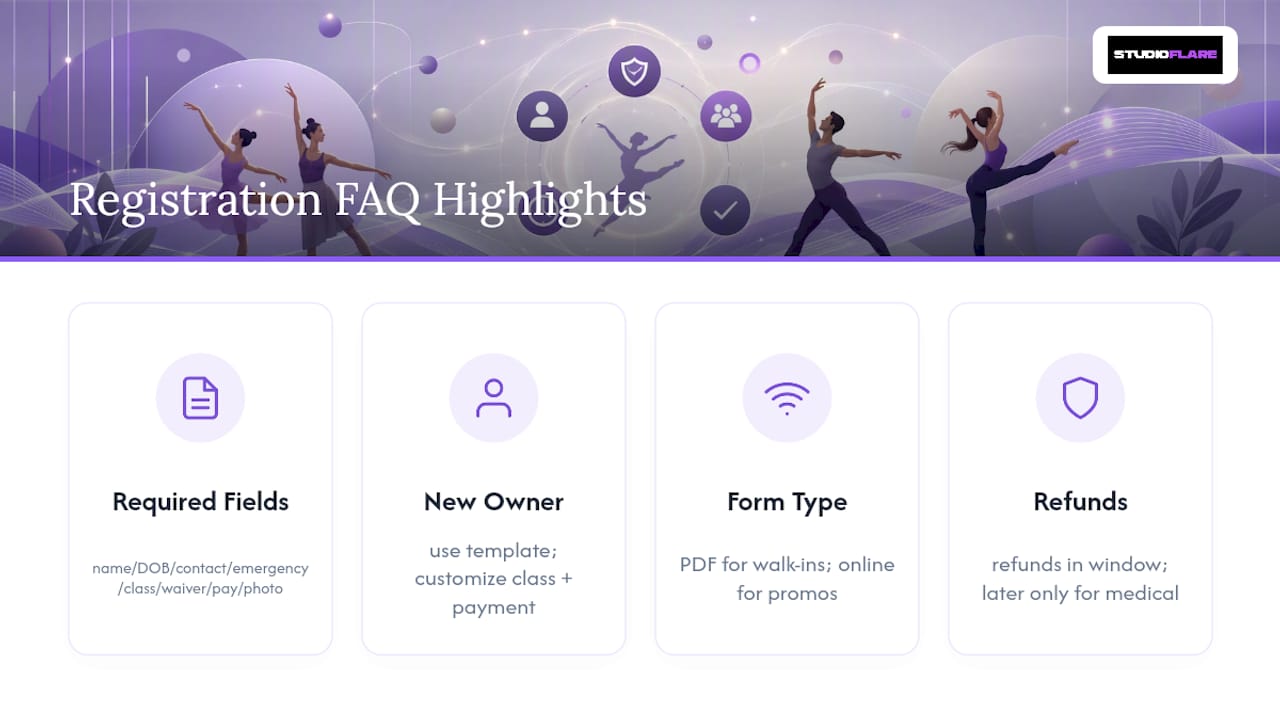
Most studios set a defined open enrollment window during which withdrawals qualify for a refund, then state that withdrawals after that date are non-refundable except for documented medical situations. Stating this plainly on the form itself, rather than a separate handbook, cuts down on disputes significantly.
Sources
- Dance Registration Form | Jotform form template
- Colburn School CSPA registration form (2026-27) — enrollment and refund policy examples
- Studio B Dance Center 2025-2026 Registration Form (example policy clauses)