
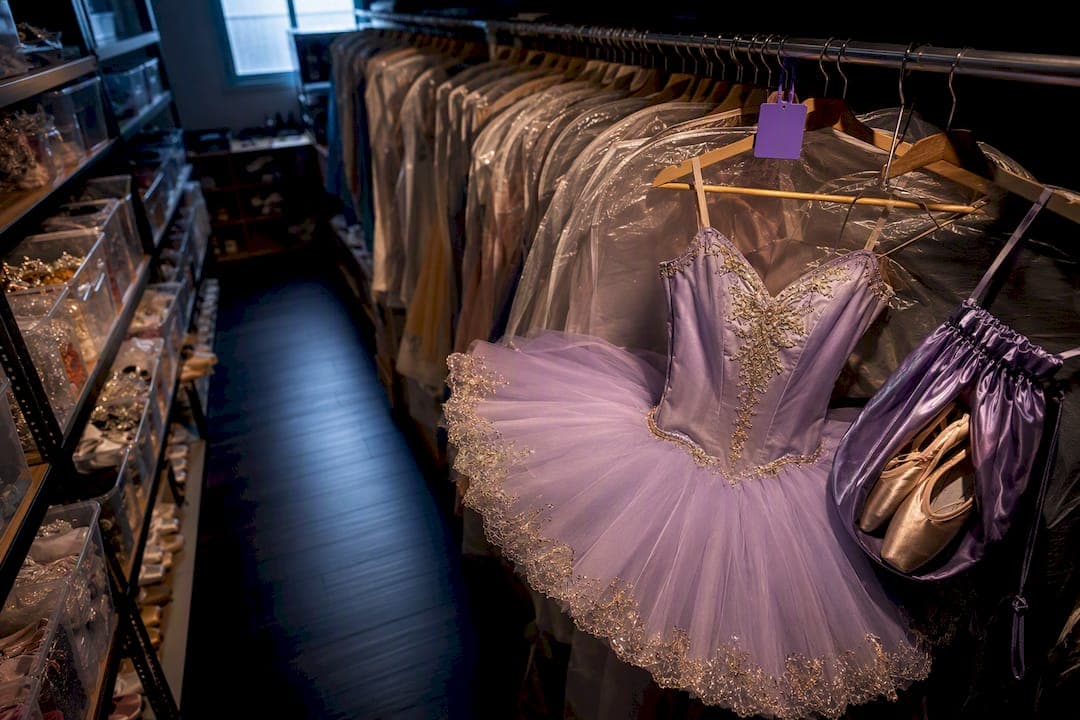
The fastest fix for a dance studio costume inventory problem is a searchable digital catalog paired with consistent labeling and a simple check-in/check-out workflow. That combination alone stops most lost-costume headaches, speeds up fittings, and cuts show-day chaos to nearly zero. You get there with either a spreadsheet or a purpose-built app, plus printed labels and a habit of scanning items in and out. Templates and a full setup plan follow below.
TL;DR:
- A digital catalog with consistent labeling and a check-in/check-out process significantly reduces costume loss, speeds fittings, and minimizes show-day chaos.
- Using printable labels and QR codes tied to photos and condition notes streamlines costume identification and reduces backstage confusion.
- Spreadsheets suit small studios, but larger teams benefit from apps supporting multiple users, photo storage, and export functions to efficiently manage costumes.
- Annual usage, repair, and missing data help optimize costume budgets by identifying low-wear items and frequently damaged pieces for better resource allocation.
- Piloting a new system on one show and maintaining a simple, consistent process encourages quick adoption and reduces staff pushback.
Table of Contents
- What Is a Dance Studio Costume Inventory System?
- Spreadsheets or Apps: Which Fits Your Studio?
- How Do QR Codes and Labels Speed Up Costume Lookups?
- Storage Setups That Actually Prevent Lost Costumes
- How Do You Manage Check-Out, Fittings, and Repairs?
- What Metrics Should You Track to Cut Costume Costs?
- Rolling Out a New Inventory System Without Chaos
- How an Integrated Studio Platform Supports Costume Tracking
- What Studios Get Wrong About Costume Systems
- Getting Costume Inventory Running Inside Your Studio Platform
- Sources
- FAQ
What Is a Dance Studio Costume Inventory System?
A costume inventory system is just a structured record of every costume your studio owns, where it lives, who has it, and what condition it's in. The "structured" part matters more than the software you pick. Studios that lose track of costumes usually aren't missing an app; they're missing a consistent set of fields and a habit of updating them.
Here's the minimum setup that gets you a working, searchable catalog inside a week:
- Day 1: List your essential fields: item name, ID number, size, condition, storage location, assigned dancer/production, and a photo.
- Day 2: Photograph every costume against a plain background, phone camera is fine.
- Day 3: Enter items into a spreadsheet or app, one row per costume.
- Day 4: Print basic labels (name, ID, size) and attach them to hangers or tubs.
- Day 5: Set up a QR code or simple numbering system tied to each label.
- Day 6: Test the check-out process with one production or class.
- Day 7: Fix gaps, back up the file, and train one other staff member on the process.
Your only required tools are a smartphone camera, a spreadsheet or lightweight app, printable labels, and a phone-based QR reader. Nothing here requires a dedicated scanner or a big software budget.
Spreadsheets or Apps: Which Fits Your Studio?
Spreadsheets work fine for studios with a few hundred costumes and one or two people managing them. A dance-school inventory template with custom fields like quantity needed, cost per unit, and vendor info, plus filtered views such as "By Vendor" or full inventory lists, covers most small-studio needs without a monthly fee. Downloadable spreadsheet and PDF trackers made specifically for dance teacher costume tracking are a reasonable starting point if you want something ready-made rather than building fields from scratch.
Apps earn their cost once you have multiple staff pulling costumes at the same time, need photo storage tied to each item, or want to export reports without manual formatting. Before choosing either path, run any tool against this checklist:
- Does it support photos attached directly to each item?
- Can more than one person log in and edit at the same time?
- Does it let you assign a costume to a specific dancer or production?
- Can you export data as CSV or PDF for backstage lists?
- Does it support label or QR printing directly from the item record?
If a spreadsheet answers "no" to three or more of those, it's time to look at dedicated costume-inventory software instead of adding more tabs.
How Do QR Codes and Labels Speed Up Costume Lookups?
Not every costume needs the same tag. Iron-on labels hold up through washing and work best on frequently worn pieces. Adhesive labels are faster to apply and fine for tubs and bins. Hanger photo labels, a printed thumbnail clipped to the hanger, let a stagehand match a costume visually in seconds, which matters most during a fast quick-change.
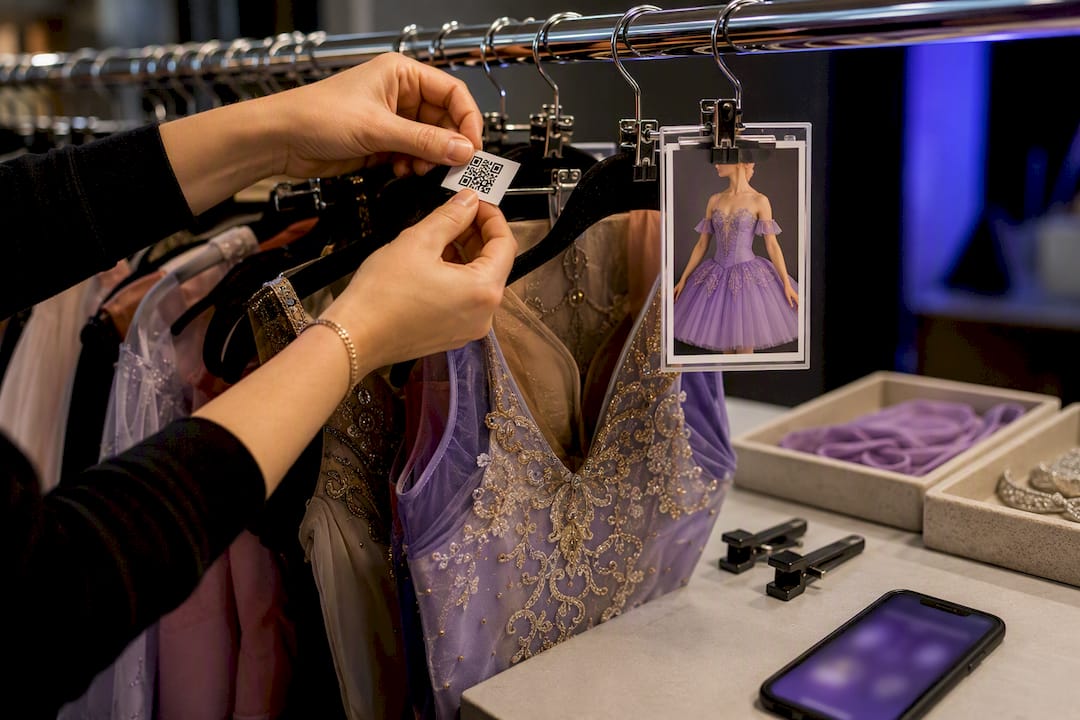
QR workflows don't require special hardware. A free QR generator plus a smartphone scanning app is enough to get started, and you can add dedicated scanning hardware later if volume justifies it. Each code should link to a photo, size, and any repair notes, since photo-first lookups cut backstage confusion far more than text codes read under pressure.
Pro Tip: Laminate a printed QR sheet and tape it inside the costume closet door. It's a five-second backup when phones are dead or backstage Wi-Fi drops.
Storage Setups That Actually Prevent Lost Costumes
Clear plastic tubs beat cardboard boxes because you can see contents without opening the lid, and labels stay legible longer. Put the label on the short end of the tub, facing outward on the shelf, so nobody has to pull tubs down just to read them.
Rack organization works best when divided by show, then by role or size within each show. Color-coded hangers by size or cast group cut search time dramatically during tech week.
- Assign each dancer a backstage kit: a ditty bag, safety pins, a small sewing repair kit, and a laminated quick-change label.
- Store off-season costumes in labeled tubs by production year, not just by item type.
- Keep a small "loose parts" tub near the main rack for detachable pieces like belts, collars, and hair accessories.
For studios that travel for competitions, a performance travel program built around group logistics can help you plan packing and transport without losing track of who's carrying what.
How Do You Manage Check-Out, Fittings, and Repairs?
A working check-in/check-out system needs only three things: who has the costume, when it left, and when it's due back. Keep it that simple and staff will actually use it.
- Record the dancer's name, costume ID, and check-out date at the time of the fitting.
- Note fit adjustments needed and flag the item for alterations if required.
- Set a return date tied to the production schedule, not an open-ended "whenever."
- Inspect the costume at check-in and log any new damage before shelving it.
- Charge for damage beyond normal wear using the condition notes as documentation.
Assigning costumes by production, then by role, then by individual dancer keeps the record clear when the same costume gets reused across cast changes. Dedicated inventory systems built for dance and theater support exactly this layered assignment, along with dancer measurement records tied to each costume ID.
Pro Tip: Log repairs the moment you spot them, not at the end of the season. A costume with three unnoticed small tears becomes one expensive total replacement.
What Metrics Should You Track to Cut Costume Costs?
Three numbers tell you almost everything about whether your costume budget is working: times used per costume, repair frequency, and missing rate. Together they give you a rough cost-per-use figure, spend divided by wears, which is a far better purchasing guide than sticker price alone.
- Times used: costumes worn once or twice a season are candidates for rental or resale instead of replacement.
- Repair frequency: a costume needing repair after every second wear is costing more than it looks like on paper.
- Missing rate: a high missing rate points to a labeling or check-out gap, not bad luck.
Reviewing usage trends once a year is a recommended way to avoid overstocking and to catch which styles or vendors consistently underperform. CSV and PDF exports make these numbers easy to hand to a bookkeeper or share with staff before the next ordering cycle, no reformatting required.
Rolling Out a New Inventory System Without Chaos
Start with scope, not software. Decide which costumes go in first (usually your highest-value or most-worn pieces), lock in your field list, and set one photo standard everyone follows, same background, same angle, same lighting.
- Define scope: which costumes, which productions, which staff will manage entries.
- Build the field list once and stick to it across every entry.
- Standardize photo rules before anyone starts shooting.
- Batch-tag your highest-priority items first, not the whole closet at once.
- Train staff or volunteers on the check-out log before the next fitting week.
For templates, start with a spreadsheet inventory template for the database itself, printable tub and hanger labels for physical tagging, and a basic check-in/out log sheet for daily use. Studio-specific costume management worksheets are also useful for coordinating pull schedules ahead of recitals.
Piloting the whole process on one upcoming show, rather than the entire closet at once, dramatically reduces rollout friction. Once that pilot runs clean, schedule a full inventory day, then back up the data somewhere outside the building.
How an Integrated Studio Platform Supports Costume Tracking
Costume records work best when they're tied to the same system that tracks your roster and event schedule. That connection is where most spreadsheets fall short, since a name change or class reassignment in one place doesn't update the other, and staff end up cross-checking two systems by hand.
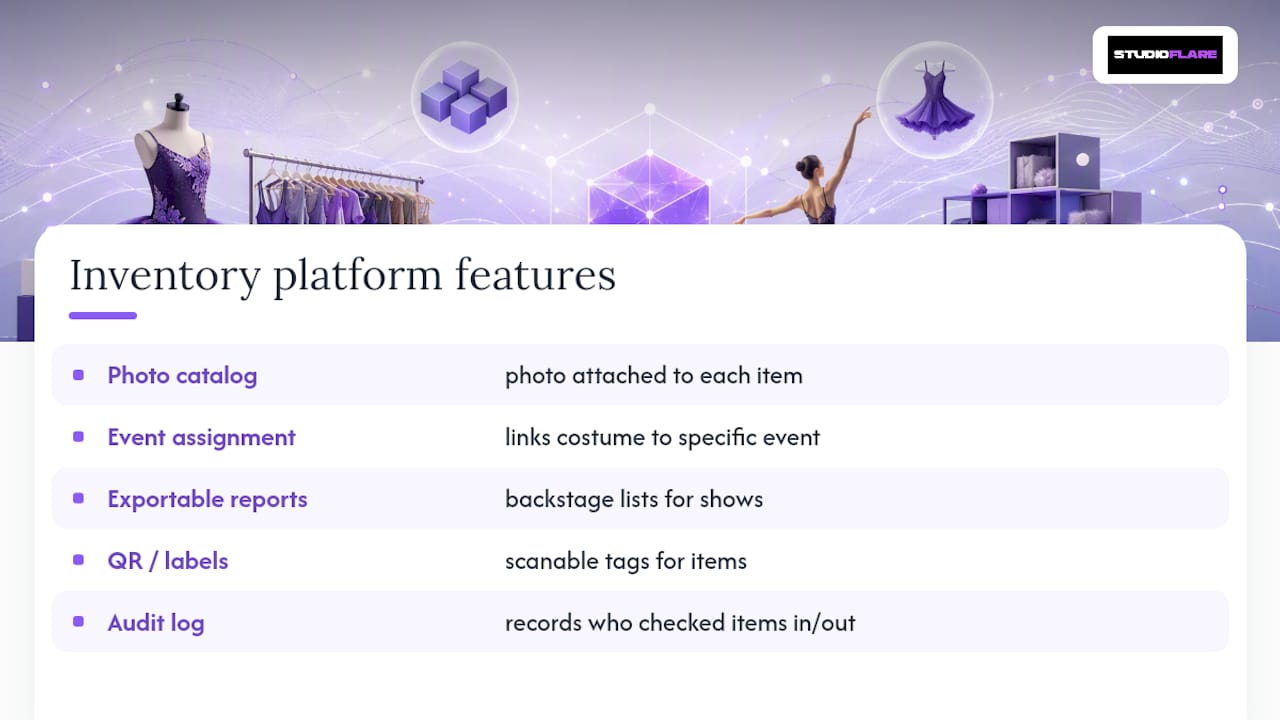
Look for a few specific features when evaluating any platform: a photo catalog attached to each item, event-based assignment so a costume links directly to a specific recital or competition, exportable reports for backstage lists, QR or label support, and an audit log showing who checked an item in or out.
When those pieces connect, the day-to-day gains are practical rather than dramatic: fittings run faster because measurements and photos sit next to the roster entry, repair logs stay attached to the item instead of living in a notebook, and charging a family for a damaged costume takes minutes instead of a memory-based argument. That's the case for treating inventory as part of studio operations, not a side project.
What Studios Get Wrong About Costume Systems
The most common mistake isn't a lack of tools. It's inconsistent labeling and skipping photo records because "everyone knows which costume is which." That confidence lasts about one cast turnover.
The fix is almost boring: one source of truth for every item, and a five-minute nightly reconciliation during tech week to catch mismatches before they become missing-costume panic. Studios that pilot a new system on a single show, then measure what actually improved, adopt it faster and with far less staff pushback than studios that try to convert the entire closet overnight.
— StudioFlare Team
Getting Costume Inventory Running Inside Your Studio Platform
If you're already juggling a roster spreadsheet, a separate costume tracker, and a group text for fittings, the gap isn't effort, it's disconnected systems. An integrated studio management platform ties costume records to the same roster and event data you already manage, so a costume assignment updates automatically when a dancer's class or role changes, instead of living in a second file nobody remembers to open.

The relevant pieces are built in rather than bolted on: a photo catalog per item, event-based assignment tied to specific productions, exportable reports for backstage lists, and QR/label workflows that match what's outlined above. Studios weighing a move off spreadsheets or a legacy system can see how this compares directly on the Mindbody alternative page or the Jackrabbit Dance alternative page. If you want to see the full feature set, start with a free account at Studioflare and load in your next show's costume list as a first test run.
Sources
- Dance School Inventory Management Template | Template by ClickUp™
- Costume Inventory App for Theaters & Schools
- Inventory Ballet/Dance Costumes
- Costume Management Resources
FAQ
What fields should a dance costume inventory include?
At minimum, track item name, ID number, size, condition, storage location, assigned dancer or production, and a photo. Adding vendor and cost-per-unit fields helps with future purchasing decisions.
Do I need an app, or is a spreadsheet enough?
A spreadsheet works fine for small studios with one or two people managing costumes; upgrade to an app once you need multi-user access, photo storage, or automated exports. Some platforms fit studios that want costume records tied directly to roster and event data.
How do QR codes help with costume tracking?
A QR code linked to a photo, size, and repair notes lets staff confirm a costume's identity in seconds instead of reading text labels under backstage pressure. Free QR generators paired with a smartphone scanning app are enough to start without buying hardware.
How often should I audit my costume inventory?
Run a full inventory check at least once a year, ideally after your busiest performance season, and reconcile check-out logs nightly during tech week. Annual usage-trend reviews also help decide which costumes to repair, retire, or reorder.
Can costume inventory tracking reduce my budget over time?
Yes. Tracking times used, repair frequency, and missing rate gives you a real cost-per-use figure, which helps you cut spending on styles that see low wear or high repair costs before the next ordering cycle.