
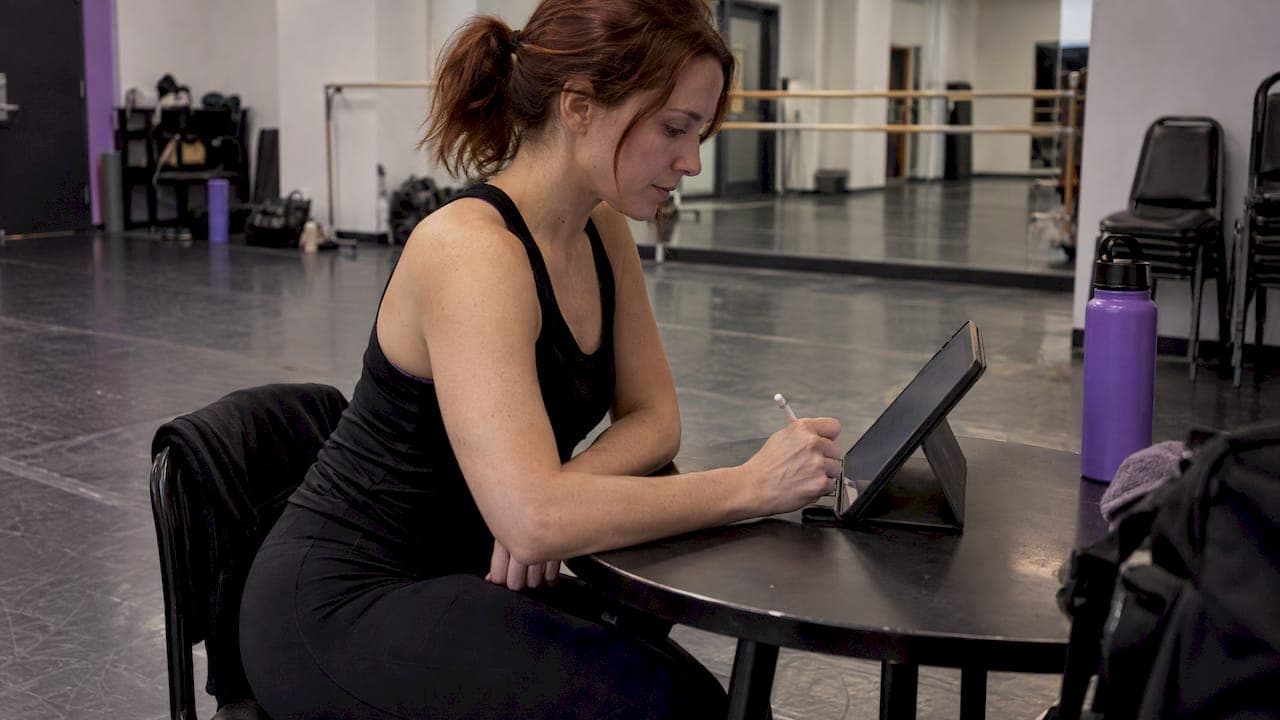
The fastest way to collect enforceable waivers and contracts is through a studio management platform with built-in digital signatures, not a standalone e-signature app bolted onto your spreadsheets. You get mobile signing, automatic storage tied to each student's record, and an audit trail without extra steps. Some studio-focused platforms build this directly into registration.
TL;DR:
- Digital signatures integrated into studio management platforms ensure signed documents attach directly to student records, simplifying recordkeeping and legal compliance.
- Using signatures at registration reduces the risk of incomplete waivers, speeds up check-in, and creates a clear audit trail for future disputes or injuries.
- Ensuring signatures can be accurately reproduced and stored long-term is critical, requiring regular exports and secure access controls to prevent fraud.
- Implementing a phased workflow—starting with pilot programs, clear templates, and staff training—can ease parent adoption and minimize technical issues during the transition.
- Digital signatures are legally valid under the ESIGN Act, but studios must verify local requirements to confirm whether notarized or sworn signatures are necessary for certain filings.
Table of Contents
- What digital signatures solve for dance studios
- Legal validity and recordkeeping basics for studios
- Setting up a digital signing workflow for your studio
- Waiver and minor consent best practices
- How StudioFlare handles digital signing inside your studio
- Keeping digital signatures secure and fraud-resistant
- Common challenges studios run into and how to fix them
- Comparing digital signature options for dance studios
- Explaining the signing process to parents and students
- What studios actually gain from making the switch
- Start using digital signatures with StudioFlare
- Sources
- FAQ
What digital signatures solve for dance studios
Every studio handles a stack of documents that used to live in a filing cabinet: liability waivers, recital participation contracts, private lesson agreements, instructor contracts, and photo release forms. Each one needs a parent's or adult student's signature before class starts, not after.
Digital signatures fit naturally into four moments in the customer lifecycle: initial signup, the first day of class, recital or event registration, and instructor onboarding. Placing the signature step inside registration instead of as a follow-up email cuts the number of students who show up without a completed waiver.
The operational payoff shows up quickly:
- Fewer lost or incomplete paper forms sitting in a front-desk drawer
- Faster check-in because staff can confirm a signed waiver on a tablet instead of digging through folders
- Simpler tracing if an injury or dispute happens later, since the signed document and timestamp are attached to the student record
Legal validity and recordkeeping basics for studios
Electronic signatures carry the same legal weight as a pen-and-paper signature under the ESIGN Act, which states that a signature or record cannot be denied legal effect solely because it is electronic. A signature's enforceability under U.S. Code Title 15, Section 7001 depends on whether the record can be retained and accurately reproduced later, not on the signing method itself.
That last part matters more than studios usually assume. The real risk isn't that a digital signature gets thrown out in a dispute. It's that a studio can't produce a clean, reproducible copy of the signed document when it's needed months or years later. If your signed waiver lives only as a screenshot or a half-exported file, you've recreated the same recordkeeping problem you had with paper, just in a different format.
A few caveats are worth knowing. Some state-level filings still call for notarized or sworn signatures, as shown in Nevada's dance studio registration packet, which requires a sworn declaration for certain business filings. That's a business registration requirement, not a parent waiver, but it's a reminder to check your state's rules before assuming every document can go fully digital.
Practical habits that keep you covered: export signed PDFs on a regular schedule, keep an audit log showing who signed and when, and back up the files somewhere outside the platform itself.
Setting up a digital signing workflow for your studio
Getting from paper forms to digital signatures takes less time than most owners expect. Here's a sequence that works for a small or mid-size studio:
- List the documents that legally need a signature and decide where each one belongs in the flow: at registration, at checkout, or before the first class.
- Build canonical templates with the fields you actually need: participant name, guardian name, date, emergency contact, and a clear risk acknowledgment statement.
- Turn on the e-signature feature in your studio software and set up magic links or QR codes that connect directly to registration or checkout pages, similar to how payment workflows get embedded into signup.
- Choose your signing method per situation: a parent signing from home taps a magic link on their phone, a family at the front desk signs on an in-studio tablet or kiosk, and a late enrollment can be handled with an admin-triggered email link.
- Confirm signed PDFs attach automatically to the student's account, along with a timestamped audit log, so staff can pull up proof of consent without searching through email.
- Export regularly so you have an offline backup for legal or administrative requests.
Pro Tip: Pilot the workflow with a single program first, and require the signature before the student's second class. This limits friction while you work out template wording and staff habits.
Waiver and minor consent best practices
A waiver only protects your studio if it's clear, complete, and actually enforceable. That means collecting the right fields and using language a parent can understand without a lawyer's help.
- Include participant name, guardian signature, an explicit risk acknowledgment, the signing date, and a working contact number.
- Verify the signing guardian's identity where possible, and collect emergency and medical information alongside the consent language itself, a point echoed in guidance on electronic consent for minors.
- Set an expiration window on waivers, especially for ongoing programs that run multiple seasons, and automate a reminder to families before the renewal deadline.
- Offer translated versions for families with limited English proficiency, and store both the signed PDF and a retrievable audit trail so you can answer questions about any signature later.
How StudioFlare handles digital signing inside your studio
Some studio management platforms include digital waivers and forms directly in the registration flow instead of treating them as separate steps. Parents may sign through a QR code or a magic link, the signed document can attach to the student's record automatically, and staff can export a PDF copy when needed for insurance or legal inquiries.
- Signatures may tie into registration and billing to prevent marking a student enrolled or charging without a completed waiver.
- Admin tools can allow staff to search for specific signed records by student name.
- Some platforms include AI assistants that answer common front-desk questions, such as waiver status, without manual record searches.
The practical effect is fewer gaps between signup and class attendance, and one less spreadsheet for the front desk to maintain. You can see the fuller feature set on the StudioFlare product overview.
Keeping digital signatures secure and fraud-resistant
A digital signature is only as trustworthy as the controls around it. Studios should treat signed documents the way they'd treat payment data: something that needs access limits, not something that sits in a shared folder anyone can edit.
Set role-based access so only front-desk staff and owners can view or export signed waivers, not every instructor on the roster. Require a unique login for each staff member rather than a shared password, which makes it possible to trace who accessed or modified a record. Magic links and QR codes should expire after a reasonable window so an old link can't be reused by someone outside the family.
Timestamped audit logs matter here too. If a dispute ever comes up over whether a particular guardian actually signed a waiver, the log showing the device, timestamp, and IP address associated with that signature is often the deciding piece of evidence, more useful than the signature image itself. Studios that rely on a generic form-builder tool without this kind of logging lose that layer of protection.

Finally, watch for the simplest fraud risk: someone other than the listed guardian signing on a shared family device. Requiring a typed name that matches the guardian field, paired with a confirmation email sent to the address on file, catches most of these cases without adding real friction to the signing process.
Common challenges studios run into and how to fix them
The biggest obstacle isn't technical, it's adoption. Parents who are used to signing a paper form at the front desk sometimes resist a new digital step, especially if the instructions aren't clear the first time they encounter it.
Staff training is the second common gap. If front-desk employees don't know how to resend a signing link or check whether a waiver is complete, they'll default back to paper as a workaround, which defeats the purpose of switching in the first place.
A few fixes consistently work:
- Send the signature link as part of the confirmation email immediately after signup, not as a separate follow-up days later.
- Put a printed QR code at the front desk for families who prefer signing in person on a studio tablet.
- Run a short staff walkthrough covering how to check signature status and resend a link, so the front desk never has to guess.
- Build in a short grace period for families mid-transition, rather than blocking class access the first week a new system goes live.
Technical friction, like a magic link that doesn't open properly on an older phone browser, is rarer but worth testing across a few device types before a full rollout. Catching that early avoids a wave of confused calls during your busiest signup week.
Comparing digital signature options for dance studios
Studios generally choose between three paths: a generic e-signature tool used across industries, a studio management platform with signatures built in, or a basic PDF-and-email workaround.
Generic e-signature tools handle the signing mechanics well but don't connect to class rosters, billing, or attendance, which means staff still have to manually match a signed document to the right student. A comparison of e-signature legal standing versus wet-ink signatures is useful background if you're evaluating these tools for enforceability, but the bigger practical gap for studios is the missing link to enrollment data.

A PDF-and-email approach, where a studio emails a form and asks for a signed scan back, technically works but creates the exact recordkeeping problem the ESIGN Act's retention requirement is meant to avoid: inconsistent file formats, no audit trail, and signatures that are easy to lose track of.
Studio-specific platforms close that gap by tying the signed document to the student's account automatically. That's the approach StudioFlare takes, alongside other studio software options on the market, and it's the one that scales cleanly as enrollment grows, since nobody has to manually reconcile a stack of signed PDFs against a class roster.
Explaining the signing process to parents and students
The clearest way to introduce digital signatures is to treat it as a one-time, two-minute step rather than a new system parents need to learn. A short line in your registration confirmation, something like "tap the link below to sign your waiver before the first class," does more than a lengthy explanation.
For families who are less comfortable with technology, offer the in-studio tablet option as a backup and mention it explicitly in your welcome email. Posting a printed QR code near the front desk gives hesitant parents a familiar, low-pressure way to complete the same step.
Keep the language in the waiver itself plain. A risk acknowledgment clause that reads like a legal brief gets skimmed and signed without real understanding, which isn't good for either side. Short sentences and a clear statement of what the signature covers hold up better if a question ever comes up later.
What studios actually gain from making the switch
The most common surprise after switching isn't speed, it's how much staff time was quietly going into chasing down missing forms before a recital or a new session. Fewer lost waivers means fewer awkward conversations at the front desk and fewer liability gaps nobody noticed until it mattered.
The smoothest rollouts start small: one pilot class, a short staff walkthrough, and a simple one-page guide for parents. If any of your forms touch state filings or sworn declarations, check your state's specific rules before assuming a digital signature covers it.
— StudioFlare Team
Start using digital signatures with StudioFlare
If you're ready to stop chasing paper waivers, StudioFlare puts digital signing directly inside the registration flow you already use. Signed forms attach to each student's record automatically, parents sign through a QR code or magic link, and staff can pull a PDF and audit log whenever one is needed.

- Create your studio account and set up your first signature-enabled registration form.
- Import one existing waiver as a template and pilot it with a single class before rolling it out studio-wide.
- Review the full feature set to see how signatures connect to billing and attendance, or check the Starter and Pro plans for pricing details.
Studios switching from other systems can also see how StudioFlare compares as a Mindbody alternative built specifically for dance programs.
Sources
- TITLE I—ELECTRONIC RECORDS AND SIGNATURES IN COMMERCE (ESIGN Act)
- Nevada dance studio registration: application packet and sworn declaration
FAQ
Do dance studio owners need a license to open a studio?
Licensing requirements vary by state and city, and some states require business registration or sworn declarations as part of that process, as shown in Nevada's dance studio packet. Check your state and local requirements directly, since studio licensing rules are not uniform nationwide.
What is considered the signature step in a dance routine?
In choreography, a "signature" step or move is a distinctive movement associated with a particular dancer or routine, which is a different meaning from a legal signature on a document. This article focuses on the latter: the signed waivers, contracts, and consent forms studios collect from students and guardians.
Are digital signatures legally valid for studio waivers?
Yes. Under the ESIGN Act, electronic signatures generally carry the same legal effect as handwritten ones, provided the signed record can be retained and accurately reproduced later. Some state-specific filings may still require notarization, so check local rules for anything beyond a standard parent waiver.
How do parents actually sign a waiver digitally?
Parents typically sign through a magic link sent by email or text, a QR code posted at the studio, or directly inside a registration form on their phone. Platforms like StudioFlare attach the signed PDF and a timestamped audit log to the student's account automatically once the signature is complete.
What happens if a family doesn't sign a required waiver?
Most studio platforms can block class enrollment or billing until the required waiver is signed, which prevents a student from attending without documented consent on file. This connection between signing and enrollment is one of the main operational benefits of using an integrated system instead of a standalone form.