

Export everything your current system can produce, in this order: roster, attendance, transactions, pack balances, waivers, and schedules. Keep your old subscription active until the new platform is fully built and tested. Payment tokens will not transfer, so plan your family communication now, before you touch a single billing setting.
TL;DR:
- Export more data than expected, including detailed member, attendance, transaction, and waiver files, as some information may be restricted or archived after cancellation.
- Sequence the migration carefully by fully configuring the new platform first, running parallel billing, and freezing pack sales days before cutover to avoid data discrepancies.
- Families will need to re-enter payment information because card tokens generally do not transfer between payment processors, requiring coordinated communication and verification.
- Clean and validate export files thoroughly, especially date formats and family merging issues, and run test imports to identify real-world errors before the final migration.
- Keep the old system active until post-migration reconciliation confirms client counts, pack balances, waiver statuses, and payroll data to prevent data loss from premature cancellation.
Table of Contents
- What Files Do You Need to Export Studio Data Completely?
- How Should You Sequence a Studio Software Migration?
- What Happens to Payment Methods When You Switch Systems?
- How Do You Map and Clean Data Before a Test Import?
- What Should You Verify After the Migration Goes Live?
- What Migration Mistakes Actually Sink Studios?
- Where StudioFlare Fits If You're Making This Move
- Where to Go for Deeper Migration Guidance
- Sources
- FAQ
What Files Do You Need to Export Studio Data Completely?
Every studio migration hinges on one rule: pull more than you think you need. Vendors sometimes restrict access or archive data shortly after cancellation, and reconstructing a missing field later is far harder than exporting it now while you still have full access.
Here's the file list to request, and the fields to insist on inside each one:
- Member roster with internal IDs: full names, emails, phones, emergency contacts, family groupings, and any custom fields (allergies, medical notes, photo consent). The internal ID is the thread that ties every other file back to the right person.
- Attendance logs and class schedules: pull recurrence rules (weekly Tuesday 4pm ballet, biweekly private lessons), instructor assignments, and historical check-in data, not just the current week's roster.
- Transactions covering a sufficient recent period: include processor transaction IDs and refund records so you can reconcile against bank deposits later. Two years gives you enough history to answer a parent's dispute or a tax question without guessing.
- Pack purchases and redemptions as separate tables: a family that bought a 10-class pack and used six needs that remaining balance of four to survive the move intact.
- Waivers and signed forms as PDF exports: liability waivers, medical releases, and photo consent forms need to exist as standalone documents, not just a checkbox in a database.
- Staff payroll and pay-rate history: hourly rates, class-based pay, and time clock records for at least the current pay period, ideally longer.
One migration guide frames this well: treat the whole project as four separate ledgers — roster, money, unredeemed promises (packs), and payment permissions. Export them as four distinct problems, not one giant CSV dump, and reconciliation gets dramatically easier.
How Should You Sequence a Studio Software Migration?
Rushing the cutover is where most studios lose data, not the export itself. The fix is sequencing: build first, bill in parallel, freeze late.
- Configure the new platform completely before it touches a single live charge. Import your roster, set up classes, and confirm packages and pricing tiers match your old system.
- Run a parallel billing cycle. Let the new platform calculate what it would charge a sample of families, then compare those numbers against your old system's actual invoices. Fix mismatches before either system charges a real card.
- Freeze new pack sales several days before cutover to prevent data discrepancies. Log any manual changes, cancellations, or new sign-ups that happen during the freeze window so you can apply them by hand after the import completes.
- Keep the old system active through the entire reconciliation window. Some providers lock down export tools the moment you cancel, per general data migration guidance, so don't burn that bridge until you're certain you don't need it.
Pro Tip: Keep a running cutover log during the freeze window, even a shared spreadsheet. Every late change gets applied manually once the new system goes live, which is far less work than reopening the old export weeks later.
What Happens to Payment Methods When You Switch Systems?
Card tokens almost never travel between processors. If your old system runs on one payment gateway and your new one runs on Stripe or another provider, families will need to re-enter their card details, and that reality needs to be part of your plan from day one, not a surprise you discover mid cutover.
Coordinate directly with your payment processor before you set a cutover date. Many, including Stripe, publish migration guidance for exactly this scenario, and knowing their timeline avoids a gap where no one gets billed for a cycle.
- Confirm whether your new processor supports any token transfer at all (rare, but worth one phone call).
- Check your billing descriptor. A sudden change on a family's bank statement, from "ABC Dance Studio" to something unfamiliar, can trigger a dispute or chargeback even when the charge is legitimate.
- Send at least two separate communications to families: one announcing the change, one confirming their new payment method is on file, before the first charge attempt.
- Re-verify every payment method before you flip the switch on automated billing.
Payment-processor migration is widely cited as the single biggest risk point in any subscription business switch, largely because billing gaps are invisible until a parent calls asking why class access got cut off.
How Do You Map and Clean Data Before a Test Import?
Field mapping is where good exports go wrong. Your old system's "created date" almost never matches the day a family actually enrolled, and if you let that field carry over unchanged, loyalty milestones and tenure-based discounts start firing on the wrong date. Overriding created and modified timestamps during import preserves the real enrollment history.
Before you import anything, clean your CSVs for:
- Inconsistent date formats (MM/DD/YYYY versus DD/MM/YYYY causes silent errors)
- Merged family rows where two siblings share one contact record
- Encoding problems that turn accented names or apostrophes into garbled characters
Once the files are clean, run a real test import, not a sanitized sample. Testing with your actual exported files surfaces the messy real-world issues, merged rows, odd characters, that a demo dataset never will.
| Validation step | What to check | Target |
|---|---|---|
| Record count match | Total members exported vs. imported | Exact match |
| Spot-check sample | Random member profiles reviewed manually | 10 to 20 records |
| Pack balance check | Remaining credits per member | Matches old system exactly |
| Enrollment date check | Original sign-up date, not "created" date | Preserved, not overwritten |
If your system supports it, use a bulk export for the initial full snapshot, then a smaller delta export closer to cutover to sync only what changed. This bulk-then-delta approach keeps your final import current without re-processing thousands of untouched records.
What Should You Verify After the Migration Goes Live?
Going live isn't the finish line. It's the point where reconciliation actually starts, and skipping it is how studios discover a billing error three weeks later instead of three hours later.
- Compare active client counts between old and new systems. A mismatch of even five members usually means a filtered or archived group didn't import.
- Spot-check random member records for pack balances, waiver status, and the date of their next scheduled billing. Pull at least 15 to 20 accounts across different class types.
- Reconcile instructor pay against the old system's payroll records before running your first payroll cycle on the new platform. A pay-rate field that didn't map correctly is expensive to catch after checks go out.
- Confirm upcoming bookings and private lesson slots carried over with the right instructor and time, especially anything scheduled more than two weeks out.
Treat this checklist as non-negotiable before you tell staff or families the migration is "done." An export that looked clean in the CSV can still hide a broken pack balance or a missing waiver until someone actually opens that family's file.
What Migration Mistakes Actually Sink Studios?
Studios rarely lose data because a file failed to export. They lose it because someone assumed a field carried more information than it actually did, or canceled the old system a week too early to "save money" during the transition.
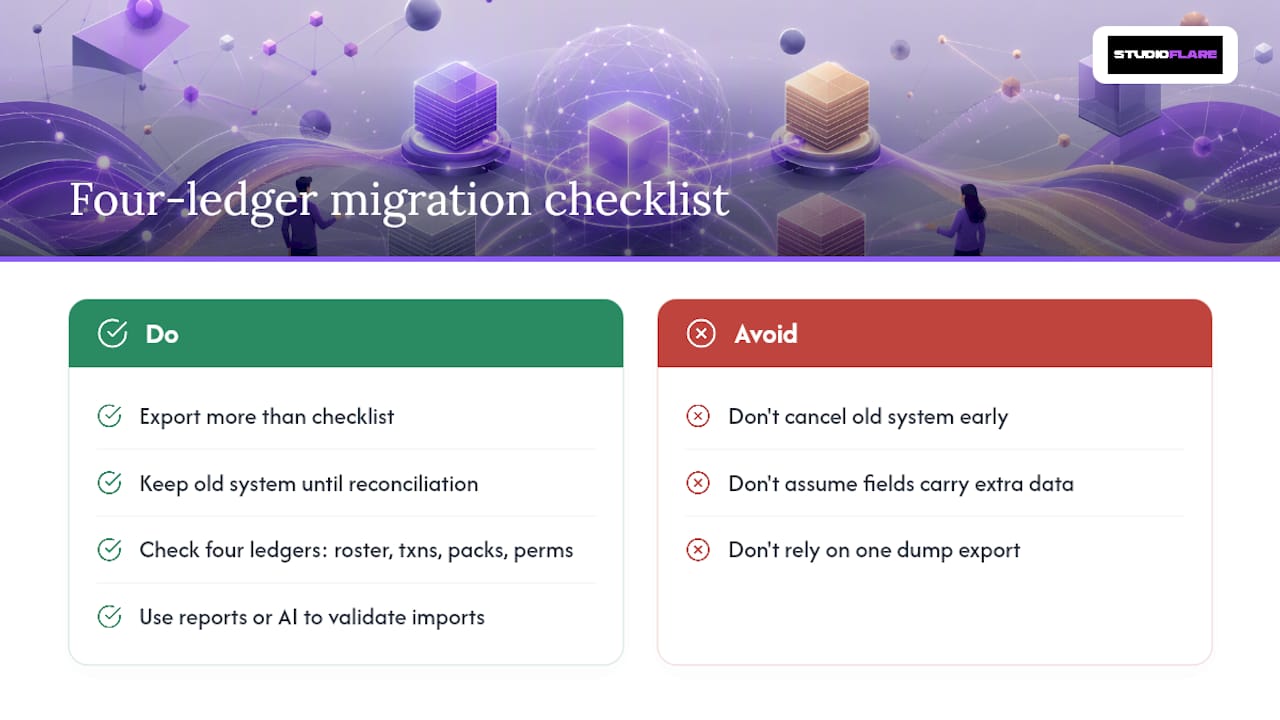
Guidance to studios switching platforms is blunt: export more than the checklist tells you to, and don't touch the cancel button on your old system until reconciliation is finished, not started. The four ledger habit, roster, transactions, packs, and payment permissions handled as four separate problems, catches errors that a single dump export hides.
Built-in reports and an AI assistant exist partly for this moment. Instead of manually cross-referencing a spreadsheet against your new system's member count, you can ask a direct question about class rosters or payment status and get an answer instantly, which shortens the validation phase considerably. Several studios that have moved onto the platform report that the structured import process caught pack balance discrepancies their old export had buried.
— StudioFlare Team
Where StudioFlare Fits If You're Making This Move
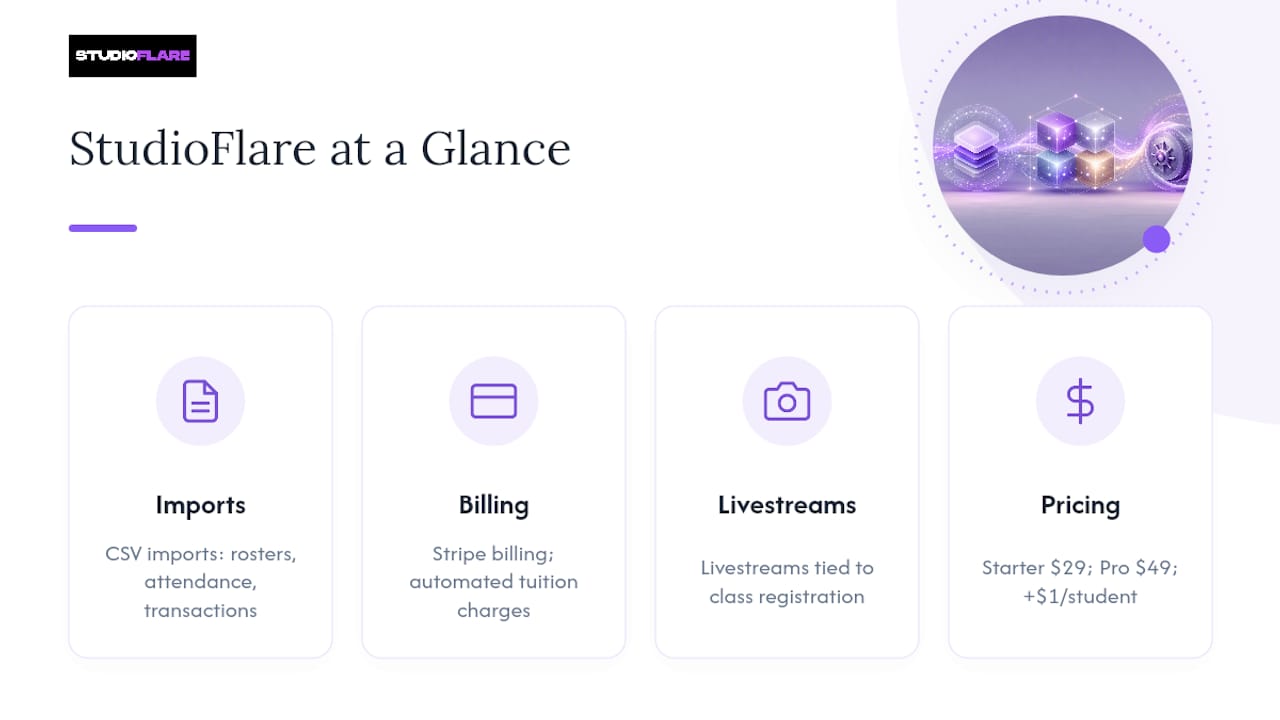
If you're mid-migration and staring at a stack of CSVs, The platform is built around exactly this problem. It accepts CSV imports for rosters, attendance, and transaction history, so the export checklist above maps directly onto its setup process instead of requiring a manual rebuild.

Billing runs through Stripe with automated tuition charges, which sidesteps a lot of the descriptor and token headaches described earlier since Stripe's migration tools handle much of that transition work directly. StudioFlare also includes livestreaming tied to class registration, so studios moving off a system without that feature don't need a second vendor for online classes. Pricing runs $29 a month on the Starter plan or $49 a month on Pro, plus $1 per active student, with no setup fee and no contract, so you're not locked into a decision made mid-migration.
If you want help thinking through your specific cutover, request a demo or start a trial and walk through your export files with a real person before you commit to a date. For studios coming from a specific platform, the Mindbody alternative and iClassPro alternative pages outline exactly what transfers and what needs re-entry.
Where to Go for Deeper Migration Guidance
For payment-specific coordination, review your processor's own migration documentation; Stripe and most major processors publish detailed guidance on migration risks. For hands-on migration support beyond your studio software vendor, services like Hopper offer dedicated project help for exports and imports across systems.
Sources
FAQ
What Files Should I Export Before Switching Studio Software?
Pull your member roster with internal IDs, attendance and schedule data with recurrence rules, at least 24 months of transactions with processor IDs, pack purchase and redemption tables kept separate, signed waivers as PDFs, and staff payroll history. This full-export approach is consistently recommended before canceling any subscription.
Will My Family's Saved Payment Method Transfer to a New System?
Usually not. Card tokens rarely move between payment processors, so most families will need to re-enter their payment details on the new platform. Plan at least two rounds of family communication before your first charge on the new system.
How Long Should I Keep My Old Studio Software Active?
Keep it running until you've fully reconciled the new system, matched active client counts, verified pack balances, and confirmed at least one payroll cycle. Canceling early risks losing export access entirely if you discover a gap later.
Does StudioFlare Support Importing Data From Another Platform?
Yes. StudioFlare accepts CSV imports for rosters, attendance, and transaction history, and its Stripe-based billing setup is designed to ease the payment-processor coordination that trips up most migrations. Pricing starts at $29 a month on the Starter plan, with no setup fee or contract required.
What's the Biggest Risk During a Studio Data Migration?
Billing interruptions, often called a billing gap, are the most common failure point, along with pack balances that don't transfer correctly because purchase and redemption records weren't exported as separate tables. Both are avoidable with a parallel billing test and a proper freeze window before cutover.