
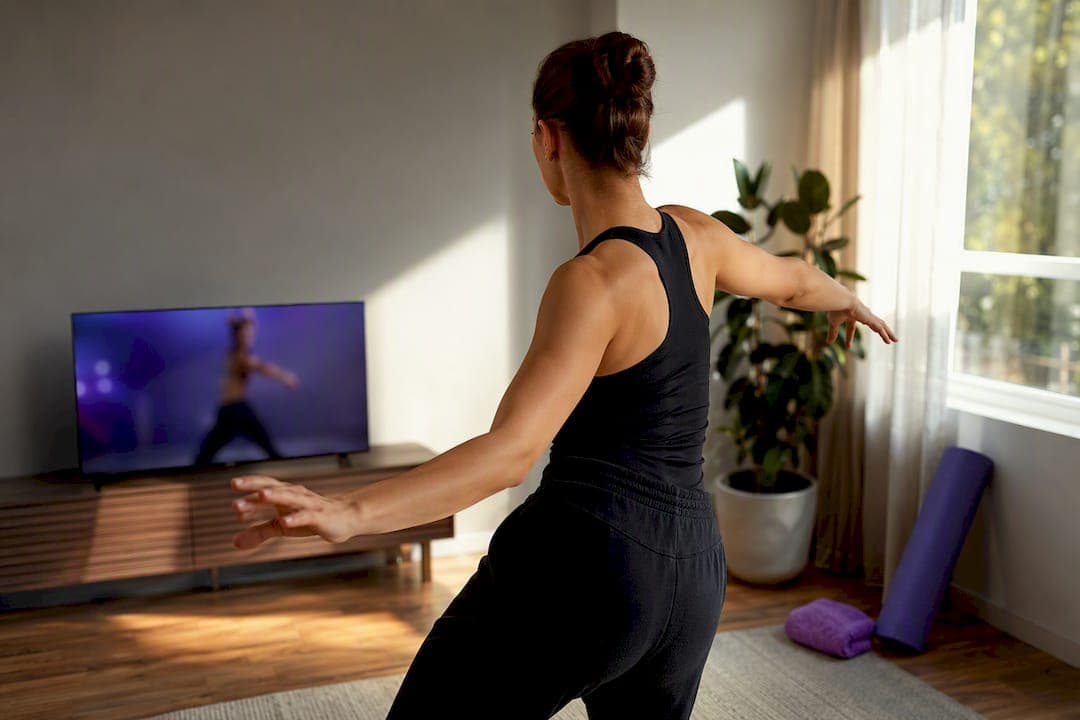
Hybrid dance classes let students attend the same scheduled session either in person or live online, usually with recordings and asynchronous feedback included, as seen in detailed examples from Modern Ballet. They work best for busy adults, parents, remote learners, and anyone recovering from injury who needs to move between studio and home without losing progress. The rest comes down to format, technology, and how well the studio runs the logistics behind it.
TL;DR:
- Hybrid dance classes are most effective with well-structured instructor techniques like stationary variations, slower counts, and dedicated Q&A sessions for online students.
- Reliable technology, including stable internet, full-body cameras, and clear lighting, is essential for a smooth hybrid experience, especially with proper audio setup.
- Studios that automate scheduling, link generation, attendance tracking, and billing streamline hybrid class management and reduce administrative chaos.
- Hybrid classes best suit busy adults, parents, remote learners, and recovery patients, but are less suitable for partner work and large group formations.
- Asking detailed questions about correction methods, recording access, and online class logistics helps students choose studios with genuine hybrid capabilities.
Table of Contents
- What Hybrid Dance Classes Actually Look Like on a Schedule
- Who Actually Benefits From Hybrid Classes (and Who Doesn't)
- How Instructors Actually Teach a Hybrid Room
- What You Need on the Tech Side to Join From Home
- How Hybrid Pricing and Access Usually Works
- How to Choose a Hybrid Class or Studio Without Guessing
- The Technology Behind a Hybrid Class That Actually Runs Smoothly
- Keeping the Room Feeling Like One Room
- Running Hybrid Classes Without the Back-End Chaos
- Sources
What Hybrid Dance Classes Actually Look Like on a Schedule
Not every studio runs hybrid the same way, and the label on a schedule can mean three different things depending on how the class is built.
The first model is simultaneous hybrid: one instructor teaches one class, and in-studio and remote students move through it at the same time, on the same clock. The second is two-version scheduling, where a studio runs a separate online session parallel to the in-person one, sometimes with a different focus so remote students aren't just watching people they can't interact with. This setup gets recommended in operational guides because it keeps online enrollment and in-person capacity from colliding on the same roster.
The third is hybrid plus on-demand, where the live class also gets recorded into a library students can revisit anytime.
- Simultaneous hybrid: same room, same instructor, live for both formats
- Two-version scheduling: separate online session running parallel to the studio class
- Hybrid plus on-demand: live session recorded for later, flexible viewing
Studios usually flag eligibility directly on the class listing so you know before registering whether your pass covers the online option.
Who Actually Benefits From Hybrid Classes (and Who Doesn't)
Hybrid works well for people whose schedules or bodies don't cooperate with a fixed studio commitment.
- Busy adults who can't guarantee the same night every week
- Parents juggling school pickups, sports, and their own class time
- Remote learners living outside a studio's driving radius
- Recovery patients easing back in with modified movement from home
It's a weaker fit for partner work, large traveling combinations that need real floor space, and anyone with a cramped living room. If your class leans heavily on lifts, spacing, or group formations, the online side of hybrid will always feel like a simplified version of what's happening in the room. That's a real trade-off, not a flaw in the format.
How Instructors Actually Teach a Hybrid Room
The difference between a hybrid class that works and one that just streams a studio is entirely in the instructor's technique. Teachers who do this well make deliberate changes to how they teach, not just where the camera points.
- Stationary variations. Traveling combos get broken into a stationary version so a student in a living room can still hit the same steps without running out of floor.
- Slower counts for remote sections. Instructors often mark timing differently for the camera so online students aren't a half beat behind by the third combination.
- Inclusion routines. A greeting at the start that acknowledges the online students by name, and a check-in at the end, keeps them from feeling like an afterthought.
- Dedicated Q&A windows. A few minutes set aside specifically for remote questions prevents them from getting lost under in-room chatter.
- Assistant or remote monitor roles. Some studios put a second person on camera duty so the lead instructor isn't splitting attention between two audiences at once.
- Asynchronous video review. Students record themselves running the combo and send it in, and the instructor reviews it separately since real-time correction over a laptop screen has real limits.
Pro Tip: If a studio can't describe how they give corrections to online students specifically, assume the online spot is closer to a video than a class. Ask before you buy the pass.
What You Need on the Tech Side to Join From Home
Nobody needs a production studio to join a hybrid class, but a few basics separate a smooth session from a frustrating one.
Reliable internet and a working camera and microphone are the baseline expectation most hybrid listings state outright before you register. A laptop or tablet propped at hip height, angled to catch your full body, beats a phone balanced on a shelf every time.
- Stable internet connection, ideally wired or strong Wi-Fi near the router
- Laptop or tablet with a built-in or clip-on camera, positioned to show full range of motion
- Clear a space roughly the size of a yoga mat, free of furniture corners and rugs that slide
- Decent lighting facing you, not behind you, so the instructor can actually see your form
On the studio's side, audio is trickier than it looks. Studio music at performance volume can bury an instructor's voice on a livestream feed, which is why some studios run wireless microphones or a separate audio mix just for the stream. If a studio hasn't solved that problem, you'll spend half the class asking someone to repeat the combo.
How Hybrid Pricing and Access Usually Works
Pricing structures vary studio to studio, but most fall into a handful of familiar patterns.
- Drop-in rate, paid per class, usually the most expensive per session
- Class packs, often sold in blocks of 10, with credits that expire after a set window
- Monthly subscriptions, unlimited or capped, sometimes with a separate hybrid add-on fee
- Hybrid-specific passes, where online attendance draws from the same credit pool as in-person
On-demand recordings are sometimes bundled into the subscription and sometimes sold as a separate library access tier, so it's worth confirming which one you're paying for. Attendance and credit deduction typically work the same way whether you show up in person or log in, which means a missed online class still costs a credit unless the studio has a specific makeup policy. Ask about refund windows and makeup rules before committing to a multi-class pack.
How to Choose a Hybrid Class or Studio Without Guessing
A short checklist saves you from finding out the hard way that "hybrid" meant something different than you assumed.
- Check instructor experience with hybrid specifically. Teaching a room and teaching a split room are different skills.
- Ask about livestream quality. A shaky phone on a stack of yoga mats is not the same as a mounted camera and dedicated audio.
- Confirm class size caps. A hybrid class with 40 online students gets no individual feedback no matter how good the instructor is.
- Ask exactly how corrections happen for online students. "We try to" is not an answer; look for specifics like chat monitoring or video review.
- Confirm recording access and expiration. Some studios keep recordings up for a week, others for the full season.
- Ask how credits get deducted for hybrid attendance. This affects whether skipping a live session to watch later costs you anything.
Pro Tip: Send this exact question before you book: "How do you give corrections to online students, and do recordings stay available after class?" A studio with a real hybrid setup will answer both parts without hesitating.
Red flags: a studio that can't describe its feedback process, a stream that's clearly an afterthought camera angle, or vague answers about how online credits work against your pass.
The Technology Behind a Hybrid Class That Actually Runs Smoothly
Most of what makes a hybrid class frustrating has nothing to do with the instructor and everything to do with the plumbing behind the scenes. A frictionless hybrid model depends on an automated system that handles scheduling, meeting links, and reminders without a staff member manually copying a Zoom link into a group text every week.
Studioflare builds that automation directly into registration: unique livestream links get generated and delivered automatically per class, attendance syncs between in-studio check-ins and online logins, and billing runs through Stripe to reduce disputes over hybrid pass charges.
- Auto-generated meeting links tied to each specific class and time slot
- Attendance sync between in-person check-ins and online logins, so credits deduct correctly
- Automated billing through Stripe, reducing disputes over hybrid pass charges
- Built-in livestreaming, removing the need for a separate video platform subscription
Studios running this kind of setup can walk through their attendance tracking process and their livestream configuration with a new student in under five minutes, because the system already knows the answers.
Keeping the Room Feeling Like One Room
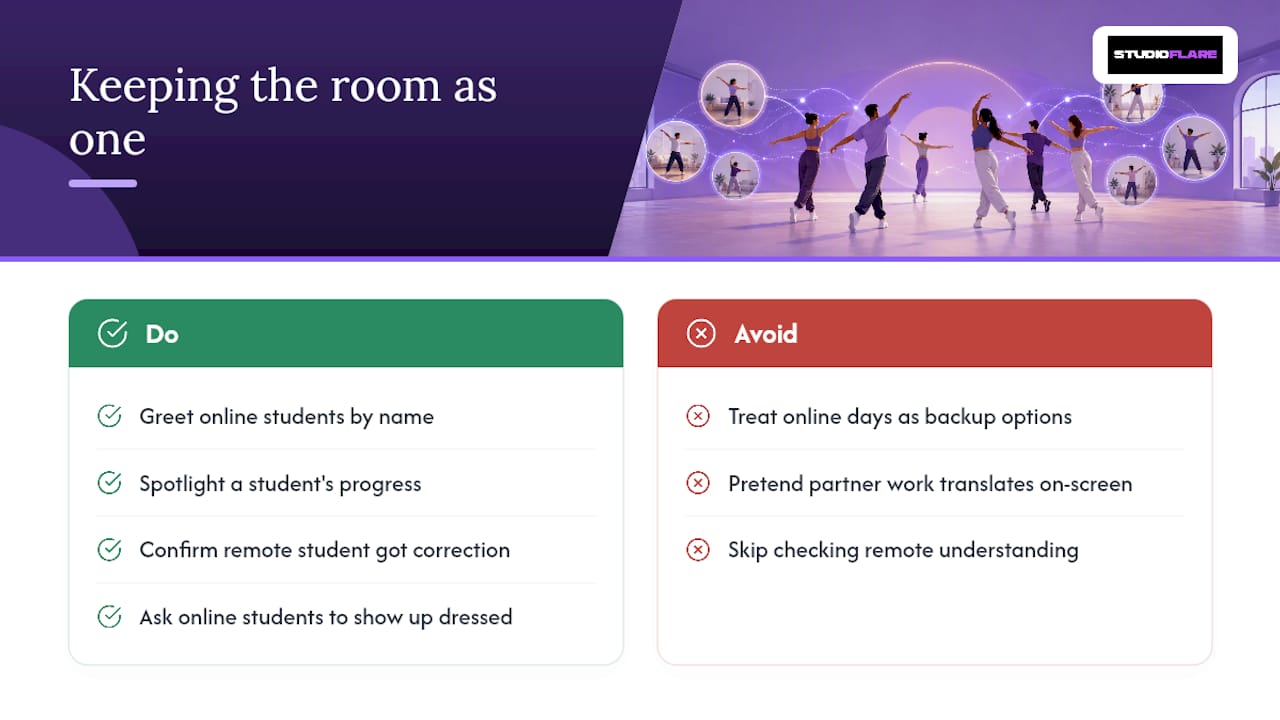
The hardest part of hybrid isn't the technology. It's making sure the person on the screen doesn't feel like they're watching a class instead of taking one. A simple hello by name at the start, a quick spotlight on someone's progress at the end, even just checking that the online student got the last correction before moving on: small rituals like these do more for retention than any camera upgrade.
Students who alternate between studio and home tend to stay engaged longer when they treat the online days as real classes, not backup options, showing up dressed and warmed up rather than half watching from a couch. One honest expectation worth setting early: partner work and tight staging will never translate cleanly through a screen, and no studio should pretend otherwise. Hybrid is a genuine option for most of what a dance class teaches, not a full substitute for every element of it.
— StudioFlare Team
Running Hybrid Classes Without the Back-End Chaos
If you're a studio owner reading this instead of a student, the gap between a hybrid class that feels effortless and one that feels chaotic almost always comes down to what's happening behind the registration button. Studioflare gives studios an alternative to juggling spreadsheets, group texts, and a separate video app for every hybrid session they run.

Registrations, automated meeting links, built-in livestreaming, Stripe billing, and attendance sync all live in one system, so a family signing up for a hybrid pack sees exactly what they're getting and gets charged correctly without a staff member chasing it down manually. That reliability is what lets a studio scale hybrid offerings past a handful of classes without adding administrative headcount. If you're weighing whether your current setup can support hybrid the right way, start a StudioFlare account and see how registration, livestreaming, and billing work together from day one.
Sources
- The Hybrid-Class Conundrum: How to Teach Virtual and In-Person Students Simultaneously - Dance Teacher
- Studio tech stack: 2026 AI, billing, and hybrid learning
- Cardio Dance & Pilates Mon/Thurs Combo! - Hybrid - ANN ARBOR, MI September 14 - December 07, 2026
- BDC Online