
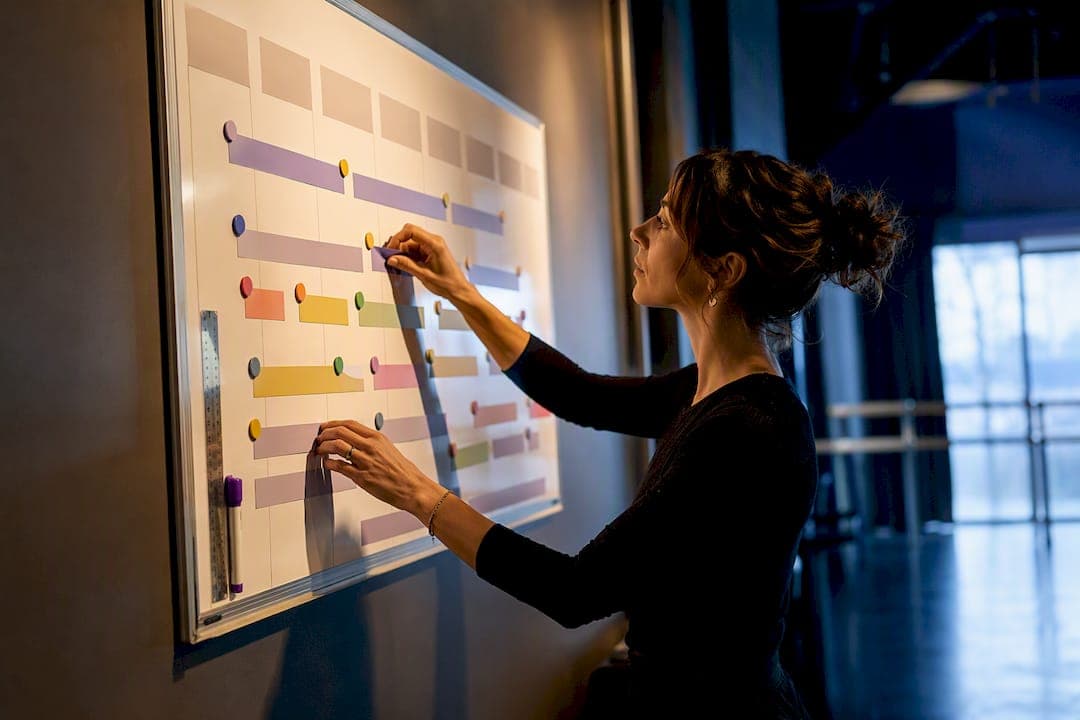
A "season" is the registration window and marketing period built around predictable cohorts and billing cycles. A "session" is the actual instructional block, with its own start date, end date, and enrollment rules. Get the two confused in your student information system and you'll misapply census dates, miscount seats, or bill families for the wrong period. Season gives you predictability. Session gives you flexibility. Most well-run programs need both, configured correctly, working together.
TL;DR:
- Sequencing your scheduling model as sessions first and seasons second enables better management of short-term enrollments and retains flexibility for rolling admissions.
- Proper configuration of the five key date fields for each session—start, end, enrollment window, and census date—is essential to ensure accurate reporting and prevent enrollment errors.
- Hybrid models, combining season-based cohorts with session-based drop-in classes, outperform single-structure setups by balancing predictability and accessibility.
- Platforms like Studioflare automate complex billing and attendance tracking, reducing errors and simplifying the management of overlapping sessions and seasons.
- Clarifying and mapping your platform’s terminology to standard definitions is crucial to avoiding misapplication of census and enrollment dates in your system.
Table of Contents
- Season vs Session Enrollment: The Core Definitions
- Season vs Session: Which Model Fits Your Program?
- The Essential Dates and Settings You Must Configure
- Real Setups: College, K–12, and Studio Examples
- The Publish-Without-Errors Checklist
- How Studioflare Handles Seasons and Sessions
- The Default Worth Starting With
- Get Your Seasons and Sessions Running in Studioflare
- Sources
- FAQ
Season vs Session Enrollment: The Core Definitions
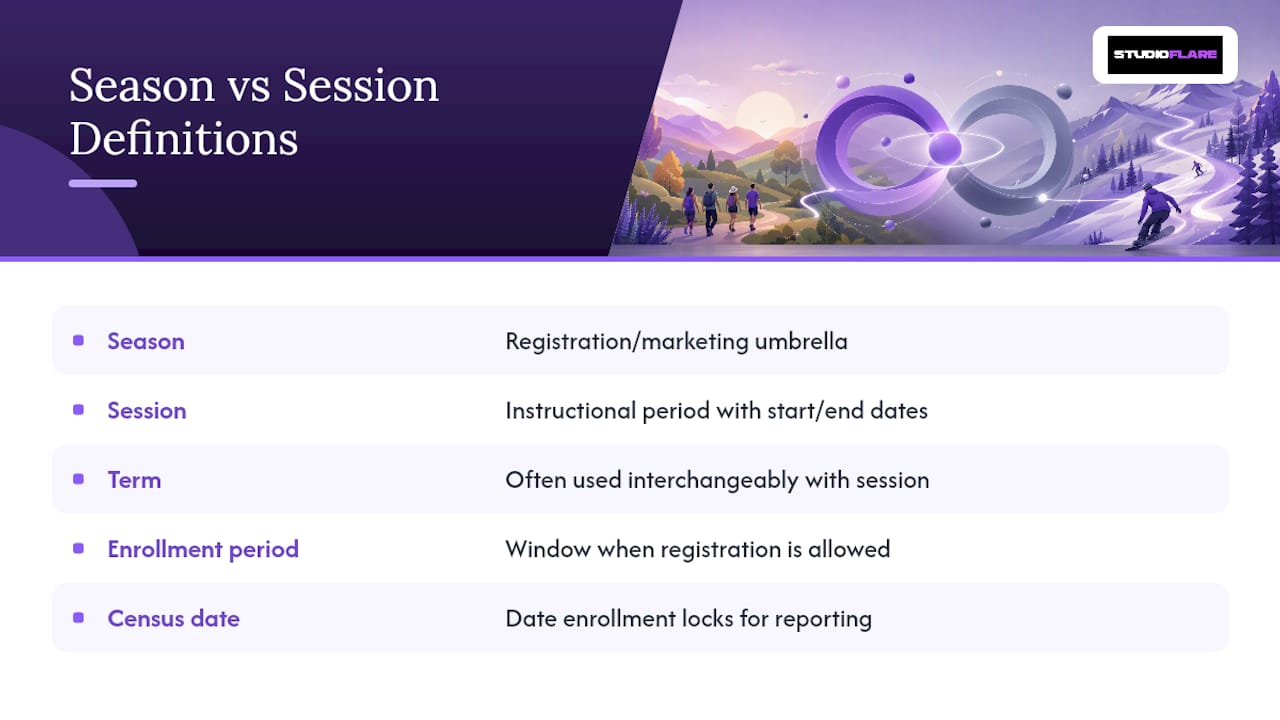
Before you touch your system settings, get the vocabulary straight. A season is a registration or marketing period. Think of it as the umbrella that groups programs by timeframe, whether that's "Fall 2026" at a district or a recital cycle at a dance studio. A session is the actual instructional period nested inside that umbrella, with its own start and end dates, capacity, and enrollment logic.
Related terms matter too. A term usually refers to a semester or quarter and often gets used interchangeably with "session" in registrar systems, which causes confusion. An enrollment period is the window during which a student can actually register, distinct from the instructional dates themselves. A census date is the point at which enrollment counts get locked in for reporting and funding purposes.
SEVIS guidance from Study in the States draws a hard line between program dates (the full course of study) and session dates (the specific term), because session dates drive reporting and student status changes. Oracle's Campus Solutions documentation treats terms, sessions, and session time periods as three distinct configuration layers, not synonyms. Your platform may label things differently, so map the vendor's terms to these definitions before you build anything.
Season vs Session: Which Model Fits Your Program?
Seasons buy you predictability. Sessions buy you flexibility. That's the whole trade-off, and almost every scheduling headache traces back to picking the wrong one for the job.
A season-based structure works when you need cohort planning: recitals, competition teams, academic terms with fixed calendars, anything where you're billing a predictable group over a predictable period. Session-based enrollment, particularly open entry/exit models, works when you're chasing rolling admissions or trying to lower the barrier to a first sign-up.
The revenue logic backs this up. DanceStudioJournal's guidance on studio pricing notes that seasonal billing gives owners predictable cash flow for overhead and recitals, while drop-in or short sessions work better as acquisition products. The pattern holds in higher ed too, where dynamic short sessions pull in students who wouldn't commit to a full semester up front.
- Season strength: predictable headcount, easier staffing and space planning, cleaner billing cycles.
- Session strength: lower commitment barrier, faster response to demand, better for trial periods.
- Hybrid approach: run short sessions as your funnel, then convert enrolled students into a season-based cohort once they've committed.
Pro Tip: Don't force everyone into one model. Studios and continuing-ed programs that run a "drop-in session" alongside a "recital season" almost always outperform ones that pick a single structure for every offering.
The Essential Dates and Settings You Must Configure
Every session needs five date fields set correctly, or your enrollment reporting breaks downstream. Oracle's registrar documentation lists these as non-negotiable session time period fields:
- Session begin date. When instruction actually starts.
- Session end date. When instruction actually ends.
- First date to enroll. The opening of the registration window.
- Last date to enroll. The hard cutoff before drops or waitlists kick in.
- Census date. The day enrollment counts are locked for reporting.
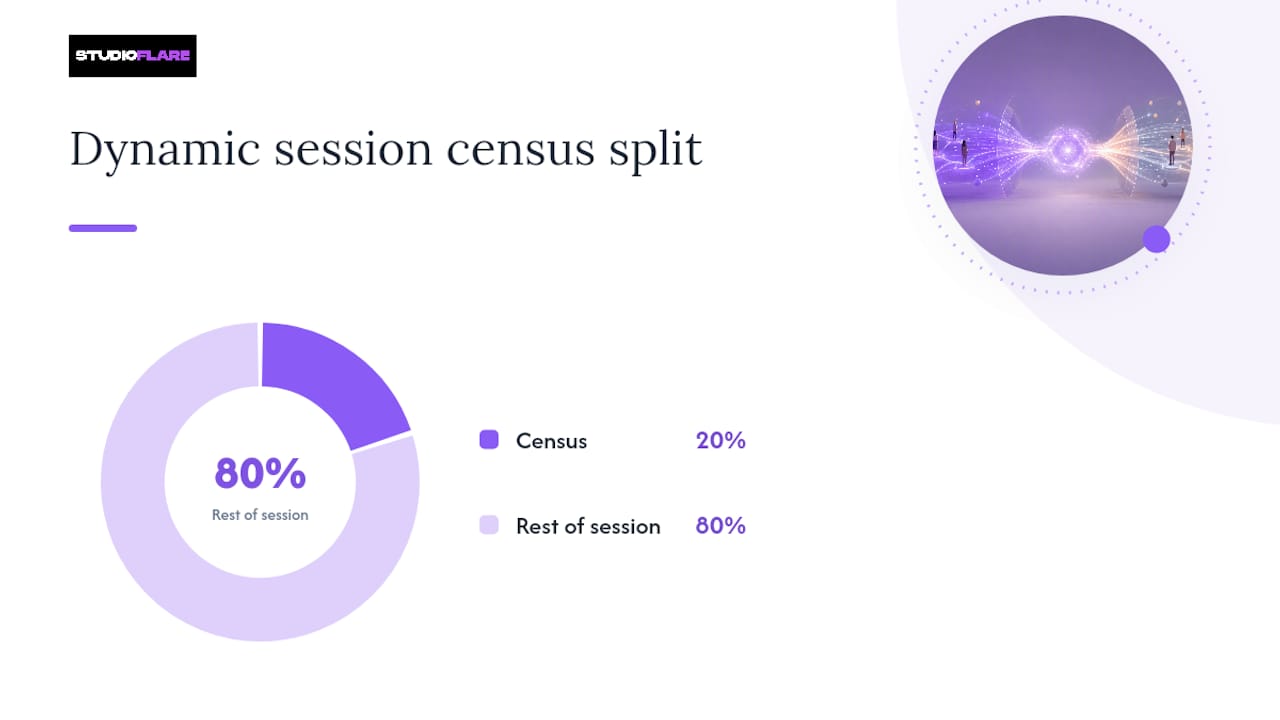
That fifth field gets complicated with dynamic (DYN) sessions and open entry/exit (OEE) sessions, because they don't run on a fixed calendar the way a regular session does. SBCTC's enrollment reporting guidance sets the standard formula: for dynamic classes, census falls at roughly 20% of the total instructional days. A six-week dynamic session with 30 instructional days puts census around day six, not at some fixed calendar date shared across the whole term.
Quick reference: dynamic session census example
Priority rules matter just as much as dates. When a district-level or school-level season overlaps a session, vendor documentation on season-to-session application describes two paths: automatic application, where the broader season's rules cascade down, or manual assignment, where a provider selects which season governs that specific session. Pick one approach per program type and document it, because mixing both without a clear rule is how double-booked seats happen.
One more setting worth flagging: when multiple short sessions run inside one term, designate a single enrollment-control session, typically the regular session, to cap total units so a student can't stack five short courses past your term-level limit.
Real Setups: College, K–12, and Studio Examples
The University of Arizona's registrar guide shows how campuses tag each session type distinctly inside one term.
K-12 or district programs. A district-wide season often overrides individual school sessions for standardized enrollment windows, while enrichment or after-school sessions run on their own shorter calendar underneath it. PowerSchool's session processing documentation describes year-end routines that roll students into new sessions automatically as participants or fresh applicants, which is worth checking before your first fall rollover.
Studio or continuing-ed. Run a season for your recital cohort, tuition billed monthly across a fixed calendar, and separate drop-in sessions for trial classes with no season attached. A model like Astor International School's enrichment programming shows how flexible short sessions can sit alongside a structured academic calendar without conflict.
The Publish-Without-Errors Checklist
- Pick your primary model first. Decide whether this program is season-first (retention, cohorts) or session-first (acquisition, trials) before building anything else.
- Map the calendar. Create term and session records with all five essential dates set for each.
- Set enrollment controls. Assign capacity limits, census rules, and designate your enrollment-control session if sessions overlap.
- Test with edge cases. Run mock enrollments for late starts, prorated billing, and students who drop mid-session.
- Publish and prepare a rollback plan. Send enrollment communications only after testing, and keep last season's configuration exportable in case you need to revert.
Pro Tip: Duplicate last season's settings rather than building from scratch. Enrollsy's guidance on enrollment periods notes that copying a prior period and adjusting dates saves setup time and cuts down on the field-by-field errors that come from starting cold.
How Studioflare Handles Seasons and Sessions
This platform maps registration periods to seasons and individual class blocks to sessions, so administrators aren't forcing a college registrar's vocabulary onto studio operations. Season-style cohorts get packaged registration and recurring billing; session-style offerings, like drop-in classes or short workshops, run on open entry with their own capacity limits.
Behind the scenes, Studioflare automates the parts that usually cause errors: prorated billing when a student joins mid-session, recurring tuition billing through Stripe for season-based cohorts, attendance tracking tied to each session's actual dates, and parent communications triggered by enrollment status changes rather than manual follow-up.
The Default Worth Starting With
Run sessions as your entry point and seasons as your retention structure. Short, low-commitment sessions convert hesitant sign-ups into paying students, and once they're in, a season-based cohort model keeps billing and attendance predictable. Most studios and continuing-ed programs do better with this hybrid than with either model alone.
— StudioFlare Team
Get Your Seasons and Sessions Running in Studioflare
This platform replaces the spreadsheet-and-group-text approach to running two enrollment models at once. Instead of manually tracking which drop-in student converted into a season cohort, registration tools, automated billing, and attendance features handle the session-to-season pipeline in one system, so users aren't reconciling three tools every Monday morning.

If you're currently running Mindbody, Jackrabbit, or a similar platform and hitting the same season versus session confusion this article describes, Studioflare's dance studio management software was built specifically to separate those two workflows cleanly. Start with a free trial to map your existing calendar into Studioflare's season and session structure, or check the Mindbody alternative comparison to see how the feature set lines up with what you're using now.
Sources
- Questions for designated school officials: What is the difference between program date and session date? — Study in the States
- Defining Terms, Sessions, and Session Time Periods — Oracle
- Definitions of terms for enrollment reporting — SBCTC
- How much to charge for dance classes in 2026 — DanceStudioJournal
FAQ
What is the difference between a session and a season?
A session is an instructional time period with its own start and end dates, like a specific class block or academic term. A season is the broader registration or marketing period, often used for cohort-based billing and recruitment, that can contain one or more sessions.
What does "4 sessions" mean in an enrollment context?
It typically means four distinct instructional periods, each with independent start dates, end dates, and enrollment windows, rather than four separate academic years or seasons.
What is considered a session in college?
A session is a defined academic period inside a term, such as a Regular 16 week session, a Dynamic (DYN) accelerated session, or an Open Entry/Exit (OEE) session with rolling start dates, per SBCTC's enrollment definitions.
How many sessions are there typically in a year?
It varies widely by institution type. A college might run two to four sessions per term across fall, spring, and summer, while a dance studio using platforms like Studioflare might run a handful of short sessions feeding into two or three seasonal cohorts annually.
Can a season and a session use different enrollment rules?
Yes. A season can automatically apply its rules to every session inside it, or a system can allow manual, provider-level assignment of which season governs a given session, depending on how your platform's season-to-session priority settings are configured.