

Use the Payout reconciliation report when you need to match an automatic Stripe payout to the batch of charges, fees, refunds, and adjustments that make it up. Use Bank reconciliation when the question is simpler: did that payout actually land in your bank account, and for how much? Manual and instant payouts sit outside both tools' automatic matching, so they need a bit more legwork.
The one-line workflow: run payout_reconciliation.by_id.itemized (or open the payout in the Dashboard) → pull BalanceTransactions for that payout ID → match gross against fees, refunds, and adjustments → confirm the deposit landed using Bank reconciliation if you've linked your bank account.
- Have a payout ID? Run the itemized by_id report for that single payout first.
- No specific payout in mind yet? Open the Dashboard's payout list and click into the one that looks off.
Pro Tip: Don't start hunting through individual charges before you've checked the summary totals. Nine times out of ten, a "missing" amount is a timing difference at the edge of the payout window, not a lost transaction.
Key Takeaways
Reconciling a Stripe payout means matching gross transaction amounts against fees, refunds, and adjustments using the itemized report, then confirming the deposit through Bank reconciliation.
| Point | Details |
|---|---|
| Start with the right report | Use the Payout reconciliation report's summary view for a quick check, itemized for a full audit. |
| Match by payout ID | Run payout_reconciliation.by_id.itemized or filter BalanceTransactions by payout ID for a single payout. |
| Watch the timestamps | Check automatic_payout_effective_at_utc before assuming a discrepancy is a real error. |
| Separate payout from bank checks | Use Payout reconciliation for transaction-level ties, Bank reconciliation to confirm cash actually arrived. |
| Automate recurring tuition billing | StudioFlare's Stripe integration logs charges and refunds against student accounts automatically, cutting manual matching at month-end. |
Table of Contents
- What the Payout Reconciliation Report Actually Shows
- How Do You Run and Download the Report?
- Reconciling a Single Payout, Step by Step
- Why Manual and Failed Payouts Don't Reconcile the Same Way
- Which API Should You Use for What Job?
- Payout Reconciliation vs. Bank Reconciliation: What's the Difference?
- How Finance Teams Fold This Into Month-End Close
- How StudioFlare Cuts Down Reconciliation Work for Studios
- Frequently Asked Questions
- Sources
What the Payout Reconciliation Report Actually Shows
Stripe's Payout reconciliation report comes in two flavors, and picking the wrong one wastes time. The summary output rolls up every transaction type into one line per payout, which is fine for a quick sanity check at month-end. The itemized output breaks that same payout into individual transaction rows, which is what you need for an actual audit trail or when a number doesn't tie out.
Either way, a handful of columns do most of the work:
| Column | Why it matters |
|---|---|
gross | The total charge amount before Stripe takes its cut |
fee | Stripe's processing fee for that transaction |
net | What actually contributed to the payout (gross minus fee) |
reporting_category | Groups the row as a charge, refund, adjustment, or fee |
automatic_payout_id | Ties the row to a specific payout |
automatic_payout_effective_at | The settlement date Stripe used, in your account's timezone |
The reporting_category field is the one most people skip and then regret. It's how you separate a straightforward charge from a refund, a dispute-related adjustment, or a Stripe fee line. Each category maps to a specific type of balance transaction, so when your itemized report shows a $340 gap, filtering by category tells you in seconds whether you're chasing a refund or a fee miscalculation.
How Do You Run and Download the Report?
In the Dashboard:
- Go to the Reports section and select Payout reconciliation.
- Pick your date range. Match this to your accounting close period, not just "last 30 days."
- Choose itemized or summary depending on whether you need transaction-level detail or a roll-up.
- Download the CSV directly from that screen.
Via the API, you're choosing between report types: payout_reconciliation.itemized pulls every transaction across a date range, while payout_reconciliation.by_id.itemized narrows to one specific payout. Stripe's report-types reference lists the required parameters for each, including interval_start and interval_end. You can also schedule recurring reports so a CSV lands in your inbox or cloud storage automatically each week or month.
Pro Tip: Set your interval_start and interval_end to match your accounting close, not calendar months. Stripe's payout effective dates run on your account's configured timezone, and mismatched cutoffs are the number one cause of "why doesn't this total match" emails to finance teams.
Reconciling a Single Payout, Step by Step
Here's the actual sequence, not the theory:
- Find the payout ID. Pull it from the Dashboard's payout list, the List Payouts API, or a
payout.reconciliation_completedwebhook if you've set one up. - Run the by_id report or list BalanceTransactions filtered by payout ID. Expand the
sourceobject on each transaction to get the underlying charge or refund ID, per Stripe's payout reconciliation guidance. - Work the math in order: start with gross charges, subtract Stripe fees, subtract refunds, then apply any adjustments. A payout showing $2,450 net might break down as $2,600 gross, minus $95 in fees, minus $55 in one refund.
- Verify. Check that transaction counts match what you expect, confirm reporting_category totals tie to your ledger, and flag anything unmatched as a timing issue or a manual/instant payout side effect.
Schools and tuition-based businesses running high transaction volume often find that comparing daily totals first, before touching individual rows, catches most discrepancies at the cutoff-time boundary rather than in a genuinely missing transaction.
Pro Tip: If a payout's total is off by a suspiciously round number, check automatic_payout_effective_at_utc before anything else. A transaction that landed one second after your window closed gets bumped to the next payout, and it looks like an error until you check the timestamp.

Why Manual and Failed Payouts Don't Reconcile the Same Way
Automatic payouts preserve a clean link between each transaction and the payout it settles into. Manual and instant payouts break that link, because Stripe isn't grouping transactions on a fixed schedule anymore. Reconciling them means building your own mapping, typically by listing BalanceTransactions within the payout's creation window and tagging them yourself.
When something looks wrong, work this checklist:
- Check the payout's status in the Dashboard or via the List Payouts API before assuming it's a reconciliation error.
- Pull the
failed_payouts.itemizedreport if the payout shows as failed rather than paid. - Verify the bank receipt date against what Stripe reports as the payout date.
- Check for holds, especially on new accounts or unusually large payouts.
- Scan related BalanceTransactions for reversal or dispute entries that might explain a shortfall.
Bank-side causes are common too: ACH holds, currency conversion spreads on cross-border payouts, and intermediary bank fees can all shrink what actually lands versus what Stripe reports as sent.
Which API Should You Use for What Job?
Three tools cover almost every reconciliation scenario, and picking the right one saves you from writing custom queries you don't need.
| Job | Best tool |
|---|---|
| Single-payout audit | BalanceTransactions API filtered by payout ID |
| Monthly close roll-up | Reports API, payout_reconciliation.itemized |
| Failed payout investigation | Reports API, failed_payouts.itemized |
| Custom cross-table analysis | Stripe Sigma |
For anything programmatic, use expand parameters to pull source charge or refund details in one call instead of round-tripping for each transaction, and lean on auto-pagination when a report returns thousands of rows. Stripe Sigma earns its place when you need to join payout data against custom fields, like matching payouts to a specific subscription plan or customer segment that isn't in the standard report schema.
Payout Reconciliation vs. Bank Reconciliation: What's the Difference?
These solve two different problems, and conflating them is where a lot of confusion starts. Payout reconciliation ties a payout to the Stripe-side transactions that built it. Bank reconciliation ties that same payout to what actually showed up in your bank account, by linking your bank directly to Stripe.
- Run Payout reconciliation when you're building the transaction-level audit trail: which charges, fees, and refunds compose this payout.
- Run Bank reconciliation when you need month-end cash confirmation or you're chasing a deposit that hasn't shown up yet.
- In practice, most finance teams use both: payout reconciliation for the transaction tie-out, bank reconciliation for the "did the money actually arrive" check.
Pro Tip: Link your bank account for Bank reconciliation even if you think you don't need it. Stripe will automatically flag deposits as Reconciled or Unreconciled, which turns a manual bank statement comparison into a five-minute glance.
How Finance Teams Fold This Into Month-End Close
A workable month-end routine looks like this: run the monthly payout summary, review itemized exceptions, confirm bank deposits, post clearing-account journal entries, then close out the Stripe clearing account for the period. Posting payouts to a dedicated clearing account, then clearing individual line items against it using the itemized report, keeps Stripe timing differences separate from bank timing differences. A payments analyst usually owns the itemized matching; a controller signs off on the clearing account close.
How StudioFlare Cuts Down Reconciliation Work for Studios
Running a dance studio means tuition payments hitting Stripe on a rolling basis, which is exactly the kind of volume that makes manual reconciliation painful. StudioFlare automates tuition billing directly through Stripe, so every charge, refund, and adjustment tied to a family's account is already logged against the class, session, and student it belongs to.

That structure means fewer unmatched payouts to chase down at month-end. StudioFlare's built-in reports and exports are organized to line up with how Stripe groups transactions, so you're not manually cross-referencing spreadsheets against a CSV export every week. If you're currently piecing together tuition payments and Stripe payouts by hand, start a free trial and see how much of that reconciliation work disappears once billing and reporting live in one system.
Frequently Asked Questions
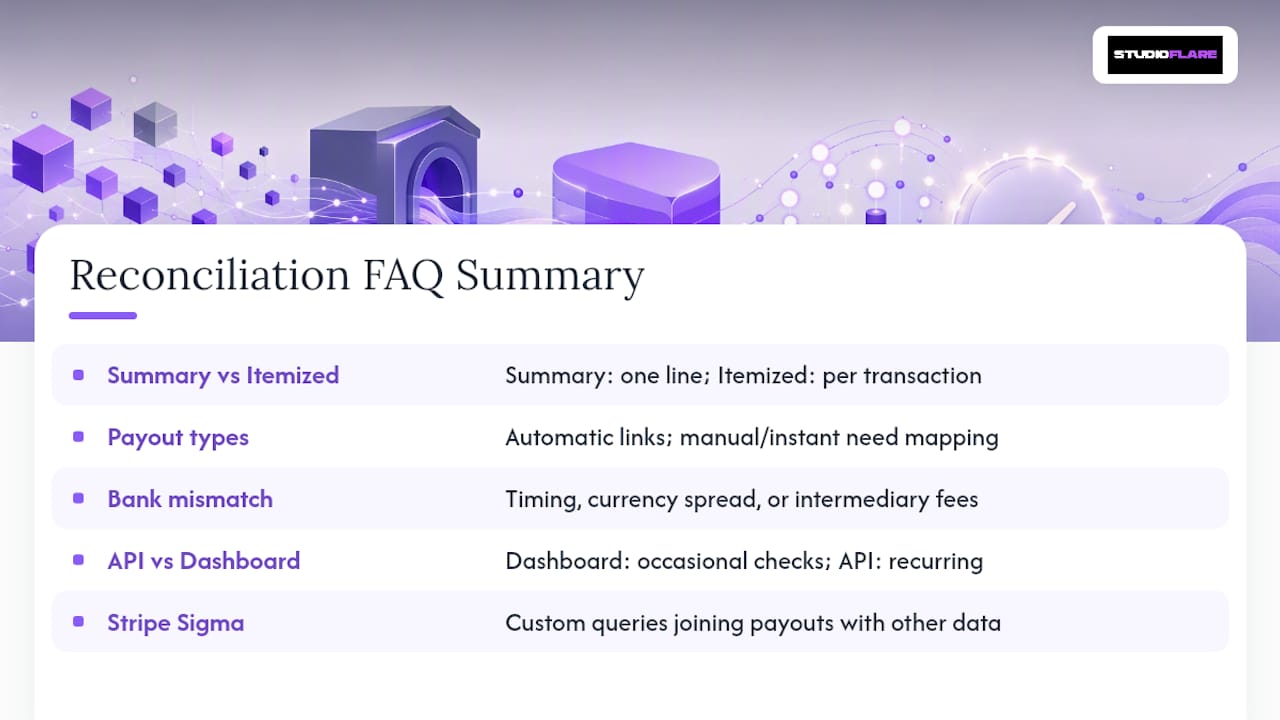
What's the difference between the summary and itemized payout reconciliation report? The summary report gives you one rolled-up line per payout. The itemized report breaks that payout into individual transactions, which you need when a total doesn't match and you have to find the specific line causing it.
Can I reconcile an instant or manual payout the same way as an automatic one? Not automatically. Automatic payouts preserve a built-in link between transactions and the payout that settles them. For manual or instant payouts, you'll need to list BalanceTransactions within the payout's creation window and build that mapping yourself.
Why doesn't my Stripe payout amount match my bank deposit? Usually it's a timing issue, a currency conversion spread on cross-border transactions, or an intermediary bank fee. Bank reconciliation will show the payout's status as Reconciled or Unreconciled, which narrows down whether the problem is on Stripe's side or the bank's.
Do I need to use the API, or is the Dashboard enough? For occasional checks, the Dashboard covers it. For recurring month-end close work, scheduled Reports API jobs save time and produce a consistent, auditable trail without manual downloads every cycle.
What is Stripe Sigma used for in reconciliation? Stripe Sigma handles custom queries that the standard reports don't cover, like joining payout data with customer segments or subscription plans that aren't part of the default report schema.
Sources
For column definitions and report schema, start with the Payout reconciliation report documentation. For exact API parameters and required fields per report type, check the report-types reference. For bank-matching mechanics, see Bank reconciliation, and for general support workflows, review payout reporting options. Businesses managing recurring fee collection outside of Stripe's ecosystem may also find this overview of streamlining fee payment workflows useful for comparison.
- Payout reconciliation