
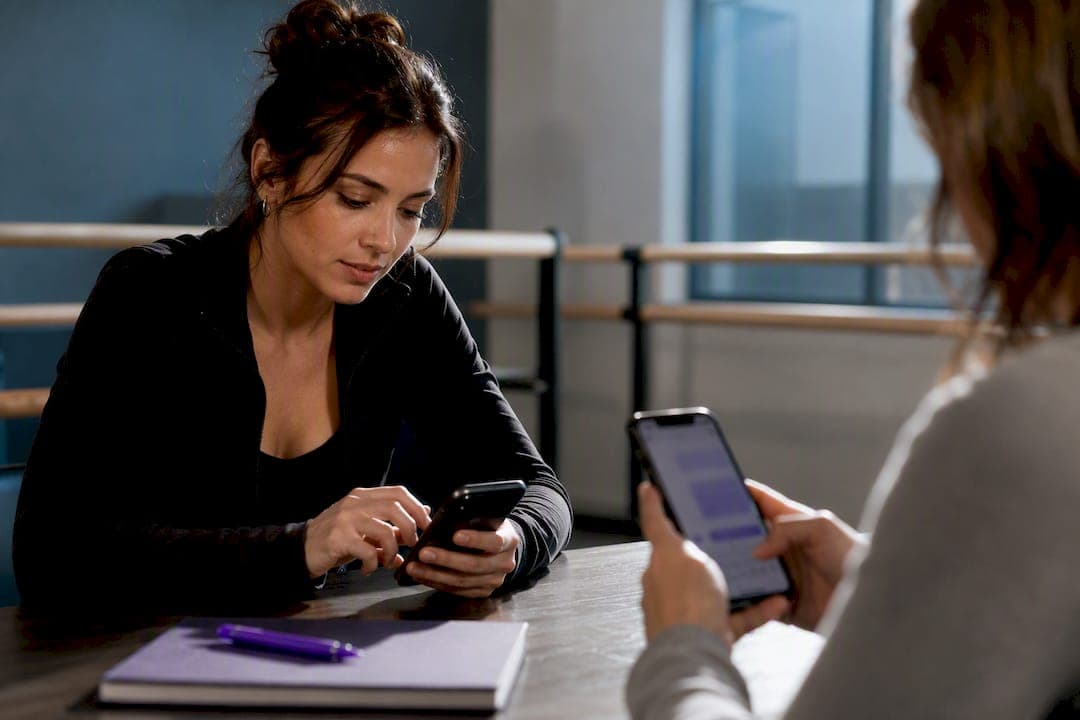
Enable two-way texting from a studio-owned business number, integrated with your studio management platform, so parents can reply, ask questions, and confirm changes without a phone call. Keep marketing consent separate from transactional consent, log every opt-in with exact wording, and route conversations into a shared inbox your whole team can see. Skip these steps and you're left with a personal cell phone number, a compliance gap, and no record when a billing dispute lands on your desk.
TL;DR:
- Two-way texting requires a dedicated business number routed through a shared inbox, with clear consent and separate streams for marketing and transactional messages.
- Compliance under TCPA mandates specific opt-in wording, clear disclosure, and separate consent for marketing texts versus transactional notifications.
- Automate predictable messages like reminders and payment requests, but route questions or disputes to staff during business hours to ensure proper handling.
- Linking messaging directly to your management platform reduces admin work, keeps records consistent, and prevents message scattering across personal devices.
- Using a platform like StudioFlare simplifies setup, maintains compliance, and integrates messaging, billing, and attendance into one system for better operational control.
Table of Contents
- What Two-Way Texting Parents Actually Means for Your Studio
- What Does TCPA Compliance Require for Studio Texting?
- How Do You Set Up Two-Way Texting the Right Way?
- Copy-Ready Templates and When to Automate
- Running Registrations, Billing, and Attendance Through Text
- Protecting Staff and Keeping a Clean Message History
- How Integrated Messaging Cuts Down on Admin Work
- Get Two-Way Texting Running Without the Compliance Guesswork
- Where to Verify These Compliance and Setup Rules
- Sources
- FAQ
What Two-Way Texting Parents Actually Means for Your Studio
One-way texting is a broadcast: you send a reminder, and that's the end of it. Two-way texting lets the parent write back, so "class canceled tonight" can turn into "can we make it up Thursday?" without anyone picking up a phone. The most effective texting strategy separates the two functions: automation handles the predictable, high-volume stuff, while two-way threads catch the exceptions that actually need a human.
Studios typically choose from three delivery models:
- Built-in platform SMS, where your studio management software sends and receives texts natively.
- A connected SMS provider, bolted onto your existing tools through an integration.
- Email-to-SMS routing, which forwards texts into a shared email inbox your staff already monitors.
Whichever model you pick, look for a shared inbox, message threads tied to each parent's record, and built-in opt-out handling so a "STOP" reply doesn't get missed.
What Does TCPA Compliance Require for Studio Texting?
The Telephone Consumer Protection Act sets the rules for business texting in the US, and studios get tripped up in one specific spot: treating every message as if it needs the same permission. Transactional texts, like a payment confirmation or a class-time change, generally carry a lower consent bar than marketing texts, like a promotion for a new session or merchandise sale. Marketing messages need prior express written consent, and that consent has to be specific to marketing, not borrowed from a general enrollment form.
Here's the checklist to get consent right before you send your first promotional text:
- Collect your business name clearly on the opt-in form, not buried in fine print.
- State plainly that consent isn't a condition of enrollment or purchase.
- Include a frequency notice, such as "up to 4 messages per month."
- Add opt-out instructions, typically "reply STOP to cancel."
- Record the date, time, and exact language the parent agreed to.
These fields aren't optional extras. TCPA guidance treats them as the minimum bar for defensible consent. A parent who agrees to attendance reminders hasn't automatically agreed to promotional texts about your holiday recital merchandise. Keep those consent streams separate, with different sign-up language and different lists inside your platform. Mixing them is one of the most common compliance pitfalls studios run into.
How Do You Set Up Two-Way Texting the Right Way?
Start with the number. A business-owned local or toll-free number, provisioned through your studio management platform, gives you a permanent business line that outlives any one employee's tenure. Route it into a shared inbox rather than a single staff member's phone, so coverage doesn't collapse when someone calls in sick.
From there, lock down a few operational details:
- Assign message permissions by role: front-desk staff handle general questions, owners handle billing disputes.
- Designate a backup sender for evenings and weekends so threads don't go cold.
- Publish official business hours for replies, and set an auto-reply for anything outside that window.
- Configure automatic suppression so a "STOP" reply removes that parent from future texts immediately, no manual step required.
Pro Tip: Announce your new studio number across every channel you already use, email, your parent portal, even a sign at the front desk, before you retire the old group text thread. A number nobody knows about doesn't get used.
Copy-Ready Templates and When to Automate
Most of what a studio texts falls into four buckets: registration confirmations, class reminders, payment requests, and absence notices. Here are templates you can adapt today:
- "You're confirmed for Tuesday Ballet 2 at 4:30pm starting September 22. Reply with any questions."
- "Reminder: Competitive Team practice tonight at 6pm. Studio doors open at 5:45."
- "Your October tuition of $145 didn't process. Reply to update your card or call us at [studio number]."
- "We noticed Ava wasn't in class today. Everything okay? Reply to let us know or reschedule."
The wording matters as much as the content. Keep transactional messages factual and tied to something the parent already agreed to (a class, an invoice), and keep any promotional language, like discounts or new program pitches, out of that same thread.
For the automate-versus-human split:
- Automate anything predictable and time based: reminders, confirmations, receipts.
- Route anything with a question mark or an unexpected reply to a human within your business hours.
- Escalate anything involving money disputes or safety concerns straight to a manager, no automated reply.
This mirrors what research on two-way texting recommends: automation for volume, humans for exceptions.
Running Registrations, Billing, and Attendance Through Text
Each of these workflows follows the same shape: capture, confirm, update.
- Registration. Capture consent on the sign-up form, send a text confirming the class and schedule, then add the parent to that class's message thread inside your platform.
- Billing. Send an automated statement a few days before the due date. If the payment fails, follow up with a two-way text asking the parent to update their card. If that goes unanswered after a set window, escalate to a phone call or formal invoice.
- Attendance and reschedules. A parent texts that their dancer is out sick. Staff confirms by reply, updates the roster, and the assigned teacher gets notified automatically so nobody shows up expecting a student who isn't coming.
Service-business texting guides point to the same logic: texts work because they're glanceable and they cut out the phone tag that eats front-desk time. Studios that keep every reply inside one thread per parent, visible to any staff member who opens the record, avoid the double-booking and double-billing that happens when messages live in five different inboxes. Our attendance workflow guide walks through the roster side of this in more detail.
Protecting Staff and Keeping a Clean Message History

Personal phones feel convenient until an instructor leaves and takes every parent conversation with them, or until a parent starts texting a teacher at 10pm about a schedule change. Once a personal number is shared, you can't really take it back, and that permanent link between a staff member's private life and the studio tends to erode boundaries over time. A studio-owned number solves the continuity problem and keeps staff burnout in check.
A few habits keep your records defensible if a dispute ever comes up:
- Export message history with timestamps whenever a billing or attendance disagreement gets escalated.
- Store consent records and message logs in the same platform, not scattered across personal devices.
- Tie your texting policy to your privacy policy so parents know exactly how their data and message history are handled.
- Train new staff on tone and turnaround time before they're allowed to send a single message.
How Integrated Messaging Cuts Down on Admin Work
Most of the friction studios describe with parent texting isn't the texting itself. It's the copying: writing the same reminder in three places, then hunting through a personal phone to remember who already paid. StudioFlare ties messaging directly to registration, Stripe billing, and attendance, so a payment reminder and a roster update pull from the same record instead of living in separate systems.
That single-thread approach matters more than it sounds. When automated messages and manual replies sit in one place, a front-desk staffer picking up mid-conversation can see the whole history instantly, no forwarding, no guessing what was already said. It also means consent records stay attached to the parent's file rather than buried in an old text thread nobody can find six months later.
— StudioFlare Team
Get Two-Way Texting Running Without the Compliance Guesswork
StudioFlare is the alternative to juggling a personal phone, a separate SMS tool, and a spreadsheet for consent tracking. It's one system that logs opt-ins, threads every reply against the parent's record, and connects straight to Stripe billing so a payment follow-up text and the invoice it's chasing live in the same place.

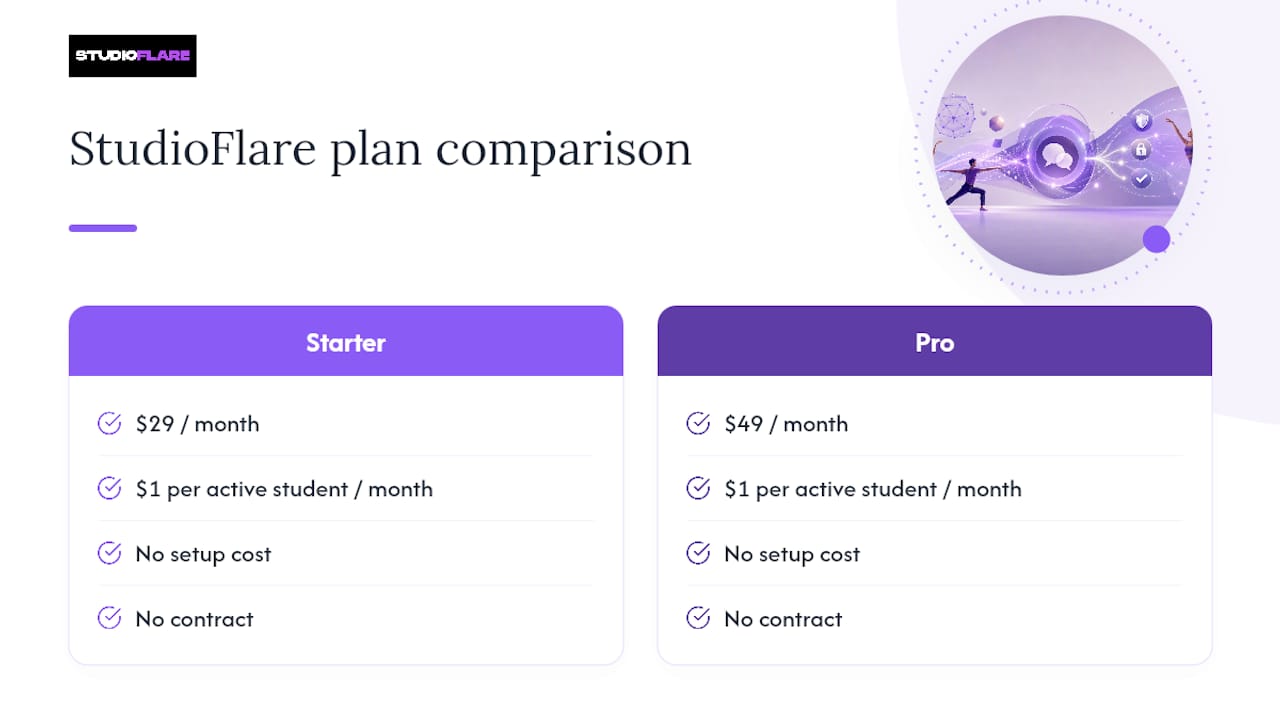
The Starter plan runs $29 per month, and Pro runs $49 per month, both with a $1 per month per active student fee and no setup cost or contract to sign. If your studio currently runs on Jackrabbit or iClassPro, the switch preserves your existing workflows while adding the messaging piece those platforms handle less directly, and studios comparing options can check the Jackrabbit Dance alternative or iClassPro alternative pages for a feature-by-feature look. Every message sent through the platform is covered under StudioFlare's privacy policy, so you can point parents to exactly how their data is stored.
Ready to see it running with your own roster? Create your studio account and set up your first parent thread today.
Where to Verify These Compliance and Setup Rules
For consent wording and required disclosure fields, go straight to the TCPA text message consent requirements. For the reasoning behind automating notifications versus keeping humans on exceptions, see two-way texting advantages. For the staff-boundary argument behind studio-owned numbers, read why personal phones should stay personal. Parents curious about what kinds of questions typically come up during studio communication can also browse this list of open-house parent questions from a school setting, which maps closely to what dance parents ask too.
Sources
- TCPA text message consent requirements: What you need to collect
- Two-way texting advantages
- Why your personal phone should stay personal: risks of mixing business and mobile
FAQ
Do I Need Written Consent for Every Text I Send Parents?
No. Transactional messages like class reminders or payment confirmations typically carry a lower consent bar than marketing messages. Marketing texts, like promotions for new sessions, need prior express written consent with specific opt-in wording, separate from your general enrollment consent.
Can Staff Use Their Personal Phones to Text Parents?
It's risky and not recommended. Once a personal number is shared with parents, you can't fully revoke that access, which creates boundary problems and puts your message history outside the studio's control if that staff member leaves.
What Happens After Business Hours if a Parent Texts?
Set an auto-reply stating your business hours and expected response window, then designate a backup sender for evenings or weekends so urgent messages don't sit unanswered. Emergency or safety-related texts should always escalate to a manager regardless of the hour.
How Much Does StudioFlare Cost for Studios Adding Texting?
StudioFlare's Starter plan is $29 per month and Pro is $49 per month, plus $1 per month per active student, with no setup fee or contract. Messaging, billing, attendance, and registration all run inside the same subscription.
Does Two-Way Texting Actually Improve Response Rates From Parents?
Yes. Two-way texting tends to drive higher response and engagement than email, turning passive reminders into conversations that resolve faster, which cuts down on no-shows and speeds up payment follow-up.