
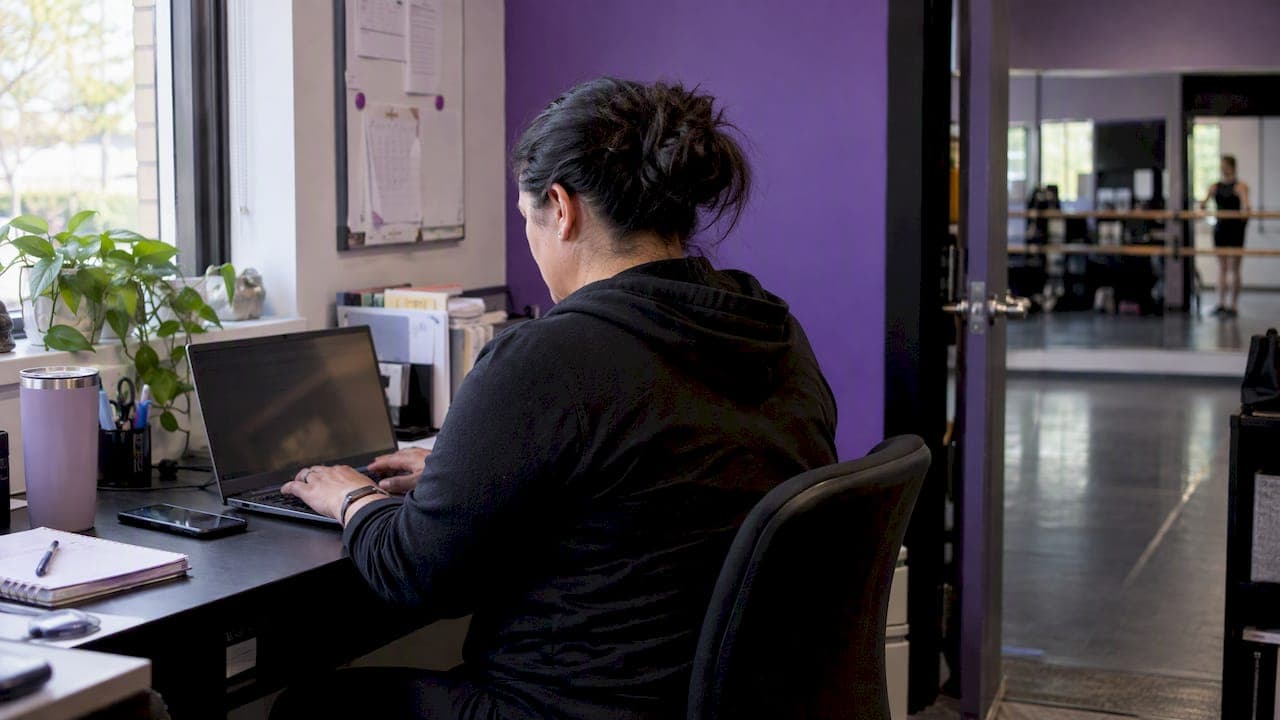
The recipe is simple: one schedule spotlight, one member moment, one useful tip, and one clear call to action, sent on a monthly cadence you can actually keep. Below, we've built a library of ready-to-paste examples, a repeatable template, and timing guidance drawn from DanceTeacherWeb so your newsletters stay consistent without extra admin work.
TL;DR:
- Build each issue around a schedule update, a student or instructor spotlight, one practical tip, and a single clear call to action.
- Send monthly on a fixed week, shifting to biweekly for registration or recital season; test weekday mornings near 9:30 or evenings from 6 to 8.
- Keep subject lines around 50 to 60 characters, personalize with a name or class, and test curiosity against direct wording over two to four weeks.
- Track open, click through, and conversion rates, tag links for attribution, and test one subject line or call to action each month.
- For streamed classes or recitals, make the stream link the issue’s only call to action, and state clearly if viewing requires enrollment or registration.
Table of Contents
- 1. Thirty-plus newsletter ideas grouped by purpose
- 2. A repeatable template you can reuse every month
- 3. Pick a schedule you can keep and the best times to send
- 4. Subject lines and CTAs that get opened and clicked
- 5. Three KPIs to track and one experiment a month
- 6. Templates, segments, and automation that save real time
- 7. Pairing newsletter content with livestreaming to drive participation
- 8. Getting readers to respond instead of just open
- 9. Using AI insights to tailor what you send
- StudioFlare's take on reader-first newsletters
- Run your newsletter without the extra admin
- FAQ
- Sources
1. Thirty-plus newsletter ideas grouped by purpose
Breaking content into categories removes the blank-page problem. Pick one item from each bucket and you can create a full newsletter quickly.
Studio news and schedule updates
- Holiday closure reminder: "Studio closed November 27-29. Classes resume Monday, December 1."
- New class announcement: "We just added a Saturday morning tap class for ages 6-8. Spots are limited."
- Policy update: a short note on dress code or make-up class rules, framed as a convenience, not a rule change.
- Staff welcome: introduce a new instructor with a two-sentence bio and what they teach.
Student spotlights and testimonials 5. Dancer of the month: name, class, one quote about why they love dance. 6. Parent testimonial: a short quote on what changed since enrollment, used only when it's real and on file. 7. Milestone shoutout: pointe debut, first competition, perfect attendance streak.
Technique and practice tips 8. A single corrections tip: "Three ways to fix a wobbly pirouette this week." 9. A stretching routine parents can do with younger dancers at home. 10. A short Q&A answering one question instructors hear often in class.
At-home activities and playlists 11. A seasonal practice playlist with 8-10 songs linked by genre. 12. A five-minute warm-up families can do together before bed. 13. A "watch this" recommendation: a short clip of professional technique to study.
Contest and challenge prompts 14. A photo challenge: "Post your best studio selfie and tag us for a shoutout." 15. A 30-day stretch challenge with a printable tracker. 16. A caption contest using a rehearsal photo.
Behind-the-scenes and rehearsal peeks 17. A short video clip from rehearsal, edited down to 30 seconds using Kudoflix Video Editor for Clubs and Associations. 18. A costume reveal teaser ahead of recital. 19. A "day in the life" note from an instructor.
Partner and local business spotlights 20. A shoutout to the local shop that sponsors recital programs. 21. A discount code from a partner business, shared as a thank-you to families.
Registration and referral asks 22. Early-bird registration reminder with a deadline date. 23. Referral incentive: "Refer a friend, get a discount on next month's tuition." 24. Waitlist opener: "A spot just opened in our Thursday ballet class."
Seasonal and recital content 25. Recital countdown with ticket or livestream information. 26. Costume fitting schedule and what to bring. 27. End-of-season recap with a few favorite moments.
Monthly series to repeat every month
Six recurring themes make planning nearly automatic:
- Dancer of the month spotlight
- One technique tip from an instructor
- "What's coming up" calendar snapshot
- A family-friendly challenge or playlist
- A local or partner shoutout
- One clear registration or referral ask
Pro Tip: Keep a running list of dancer names and small wins in a shared note so spotlight content is never a last-minute scramble.
2. A repeatable template you can reuse every month
A fixed structure means you're filling blanks, not starting from scratch. Use this order and these rough word counts:
- Lead line (1-2 lines): what this issue is about.
- Schedule spotlight (30-50 words): what's happening this month.
- Member moment (20-40 words): a student, parent, or instructor highlight.
- Useful tip (30-60 words): a technique note, stretch, or at-home idea.
- Call to action (1 line): one ask, one link, one button.
Keep the layout mobile-first: short paragraphs, a single column, bold CTA buttons, alt text on every image, and a plain-text fallback so the message still reads clearly if images don't load, a point DanceTeacherWeb also flags for deliverability.
Monthly bulletin fill-in: "Hi [Family Name], here's what's new at [Studio Name] this [Month]. This month's spotlight: [Dancer Name]. Quick tip: [Tip]. Don't forget: [CTA]."
Event announcement fill-in: "[Event Name] is [Date] at [Time]. Here's what to know: [Detail]. [CTA button]."
Pro Tip: Save both templates as drafts in your email tool so each month you're editing, not building from zero.
3. Pick a schedule you can keep and the best times to send
Consistency beats frequency. A monthly newsletter sent reliably outperforms a sporadic one, and DanceTeacherWeb and Dance Magazine both point to predictable cadence as the bigger lever than volume.
- Baseline: one newsletter a month, sent on the same week each time.
- Busier seasons: shift to biweekly during registration drives or recital season.
- Best send windows: weekday mornings around 9:30 a.m. or early evenings between 6 and 8 p.m., when parents tend to check email.
- Limit extra blasts to one or two during recital or registration bursts to avoid list fatigue.
4. Subject lines and CTAs that get opened and clicked
Keep subject lines around 50-60 characters, add a name or class detail when you can, and lean on curiosity more than urgency for routine sends.
Twenty subject lines to borrow:
- "[First Name], here's what's new this month"
- "A quick update before [Month] classes start"
- "Your dancer made the spotlight this month"
- "3 stretches to try before Saturday's class"
- "Spots are filling for our new Saturday class"
- "Recital tickets go live this Friday"
- "One thing to fix your pirouette wobble"
- "A playlist for your car ride to class"
- "Early-bird registration ends soon"
- "Meet our newest instructor"
- "Costume fittings start next week"
- "Refer a friend, get a tuition discount"
- "What we're working on in the studio this week"
- "A note from [Instructor Name]"
- "Your October dance recap"
- "This month's challenge: can you keep up?"
- "A shoutout to our favorite local shop"
- "Make-up class policy, explained simply"
- "The one thing to pack for competition day"
- "Thank you for a great season"
Eight CTA phrases: "Reserve your spot," "Refer a friend, get $10 off," "Grab your tickets," "Save your seat," "Claim your spot before it's gone," "Join the challenge," "Watch the clip," "Tell us what you think."
Pro Tip: Test two subject-line styles (curiosity versus direct) for two to four weeks and compare which one gets opened more.
5. Three KPIs to track and one experiment a month
You don't need a full analytics setup to know what's working. Three numbers tell most of the story.
- Open rate: how many people opened the email.
- Click-through rate (CTR): how many clicked a link inside it.
- Conversion rate: how many registered, referred a friend, or RSVP'd.
One figure worth knowing: small trials and practitioner guidance suggest consistent monthly or biweekly sending produces steadier open behavior than irregular blasts, which is reason enough to protect a fixed schedule.
Add UTM tags to any link you want to track separately, and check opens, clicks, and conversions in whatever email platform you already use. Run one experiment a month, usually a subject line or CTA test, and aim for small, steady gains rather than a single dramatic jump.
6. Templates, segments, and automation that save real time
Scheduled sends mean a newsletter goes out even on a packed week. Segmenting your list by class level, parents, or prospects keeps content relevant instead of generic.
- Build three segments this week: current families, prospects, and instructors or staff.
- Schedule one monthly template now, even before it's full of content.
- Reuse the same modular blocks (news, spotlight, tip) every month to cut editing time.
- See examples of automated reminders that cut no-shows for a related workflow worth borrowing.
7. Pairing newsletter content with livestreaming to drive participation
A newsletter is the natural place to point families toward a livestream, especially for families who can't make it to the studio in person. When a class, rehearsal, or recital is streaming, the newsletter becomes the reminder system: send the link, the start time, and a one-line note on what they'll see.
This pairing does double duty. First, it gives families a reason to open the email: a live link is more compelling than a static update. Second, it extends your reach past the people who show up physically, which matters for out-of-town relatives watching a recital or a parent stuck at work during a weekday class.
A few ways to use this combination:
- Send a "watch live" reminder the morning of a streamed class or rehearsal.
- Recap a past livestream with a short highlight clip in the following issue.
- Use the stream link itself as the newsletter's single CTA for that issue, rather than competing with a registration ask.
Keep the ask narrow. One newsletter, one livestream link, one clear instruction on when and how to watch. If your platform ties class registration to livestream access, say so plainly so families know they need to be enrolled or registered to tune in.
8. Getting readers to respond instead of just open
A newsletter that only broadcasts misses half its value. Building in small, easy ways to respond turns a one-way update into an ongoing conversation with families.
Simple prompts work best. Ask a one-line question at the end of an issue, something like "What's one thing your dancer is proud of this month?" and invite replies. A reply-friendly send, rather than a no-reply address, makes that possible.
Short polls or a single-click reaction (thumbs up, a quick rating) give families a low-effort way to respond without typing a full message. Photo and video submissions work well too: ask for a short clip of at-home practice or a favorite rehearsal moment, then feature a few in the next issue.
Feedback prompts matter just as much. A quick line like "Reply and let us know what you'd like to see more of" signals that the newsletter is shaped by what families actually want, not just what's easy to send. Even a simple end-of-season "what worked, what didn't" question can surface useful adjustments for next year's content.
The goal isn't volume of replies. A handful of responses each month is enough to shape better content and remind families that someone reads what they send back.

9. Using AI insights to tailor what you send
Our AI assistant answers common questions about classes, payments, and attendance instantly, which means the data behind your newsletter decisions is easier to pull together without digging through spreadsheets.
That data points to better newsletter choices. A quick check on which classes have low attendance can shape which schedule spotlight goes out next. A look at payment or registration trends can tell you whether this month's CTA should push a referral incentive or a straightforward registration reminder.
Segmenting by class type or skill level becomes simpler too, since the underlying data is already organized by class and student rather than scattered across texts and spreadsheets. A beginner ballet newsletter can look different from one going to competitive team families, without building each from scratch.
Start small: pull one insight, whether it's a popular class or a dip in attendance, and let it shape one block of next month's newsletter.
StudioFlare's take on reader-first newsletters
We've found that studios prioritizing value over promotion see steadier engagement over time. Pick one small template and stick with it for three months before changing the format.
— StudioFlare Team
Run your newsletter without the extra admin
We built our platform to help handle the busywork behind consistent newsletters: templates, automated scheduled sends, segmented lists, and messaging alongside livestreaming.

- Save a monthly template once and reuse it with Starter or Pro.
- Segment parents, prospects, and class levels automatically instead of managing separate lists by hand.
- Pair newsletter content with livestream access right from your features overview.
If you're ready to send newsletters that families actually open, check out StudioFlare's plans and see which tier fits your studio size.
FAQ
How do I advertise a dance class through a newsletter?
Feature the class in your schedule spotlight with the day, time, age range, and a short reason to join, then pair it with a single clear CTA like "Reserve your spot." Mentioning limited availability or an early-bird deadline tends to prompt faster sign-ups than a general announcement.
What are some good newsletter ideas for a dance studio?
Strong ideas include a dancer-of-the-month spotlight, a quick technique tip, an at-home practice playlist, a photo or caption challenge, and a referral incentive. Rotating through these keeps content fresh without requiring new ideas every single month.
What are good themes for a dance recital or newsletter series?
Seasonal themes work reliably: a holiday showcase, a "year in review" recap, or a countdown series leading up to recital day. Pairing a theme with a matching playlist or costume reveal teaser gives the newsletter a clear narrative thread.
What topics work well for a dance-related project or feature story?
Technique breakdowns, choreography process stories, and dancer milestone features all make strong newsletter content because they give families a behind-the-scenes look at effort, not just results. A short Q&A with an instructor on a specific skill also performs well as a recurring feature.
How often should a dance studio send newsletters?
A monthly cadence works as a reliable baseline, shifting to biweekly during registration or recital season according to DanceTeacherWeb guidance. Consistency in timing matters more than how often you send.
Sources
- Dance Studio owner tips for effective email marketing
- Art in your inbox — 5 tips for creating an effective email newsletter