
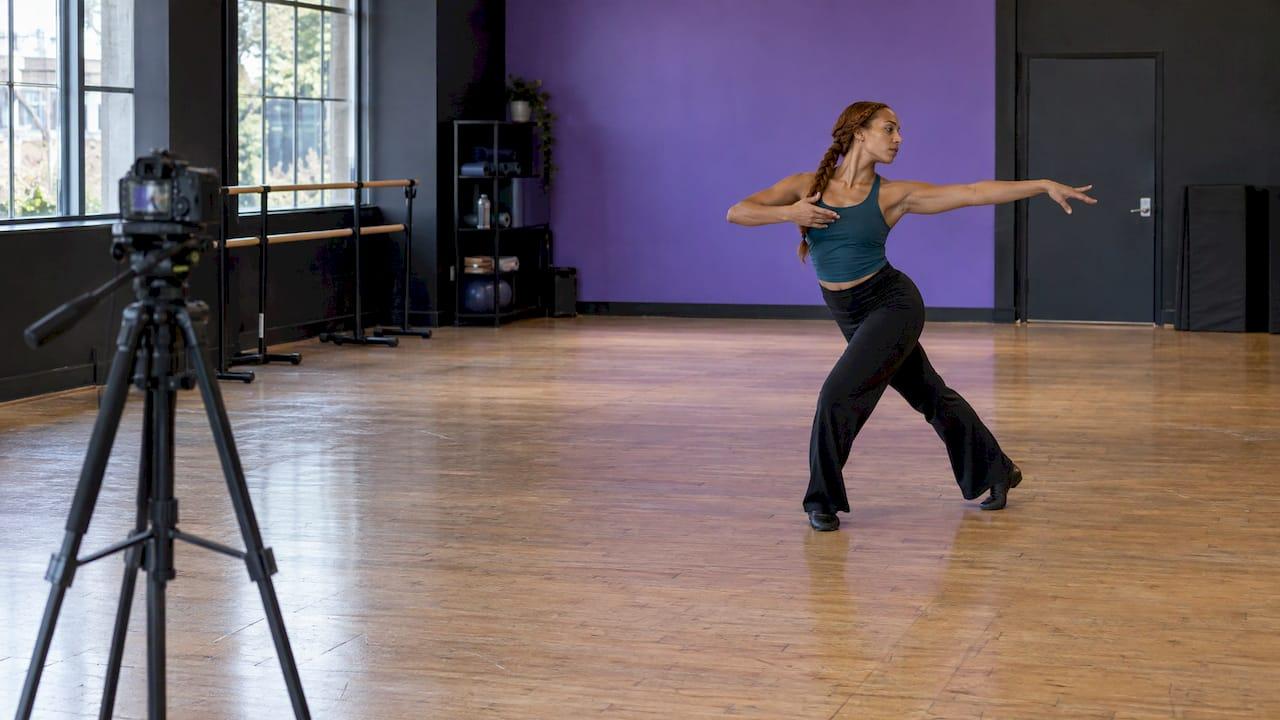
A recorded dance class library is a catalog of on-demand classes that students watch on their own schedule, sorted by style and level. If you run a studio, the question is not only where to find one. It is how to give your own students a way to take your classes outside the room, with access limited to the families who pay, billed automatically, and kept in one system with registration and attendance. That is where StudioFlare fits: it is a studio management platform built for dance, with livestreaming connected to class registration and access control, so the people who can join a class are the people enrolled in it.
TL;DR
- A recorded class library is self-paced practice: classes sorted by style and level, watched any time. It is different from a database of performance archives or a library of single dance moves.
- Consumer libraries usually charge per class, by pass, or by monthly or yearly subscription. Studios compare them on styles, levels, access length, license terms and renewal rules.
- For a studio, the hard part is not video. It is access control, billing, parent communication, waivers and music licensing around the video.
- StudioFlare ties livestreamed classes to registration and access control, with automated Stripe billing from $29 a month plus $1 per active student.
- Write the policy before you launch: who may watch, for how long, and what a missed class is worth.
Table of Contents
- What a recorded dance class library is (and is not)
- Why studios want recorded and live classes in one place
- How consumer libraries sell access, and what that teaches you
- What to check before you choose or build a library
- The studio problem: video is the easy part
- How to offer recorded and livestreamed classes to your students
- A worked example: a 120-student studio
- Coming from another studio system
- Parents: what to ask your studio
- Instructors and directors: what changes
- Run your studio's online classes in one place
- FAQ
- Sources
What a recorded dance class library is (and is not)
Search this phrase and you will see three different things mixed together. It helps to separate them, because only one is what most dancers and studio owners want.

A class library. Full classes, usually 30 to 90 minutes, with a warm-up, technique, across-the-floor work and a combination, taught by a named instructor and tagged by style and level. Students stream them whenever they like. Typical catalogs cover ballet, jazz, contemporary, hip-hop and tap, with beginner, intermediate and advanced tiers.
A move library. A repository of individual steps or figures, often for partner dance, with no class structure around them. It is a reference tool, closer to a dictionary than a lesson.
An archive of performances. University databases such as Dance Online: Dance in Video, which NC State University Libraries describes as roughly 900 hours of performances, documentaries, interviews and instructional video for courses in dance history and choreography. It is built for research and study, not for training your body on a Tuesday night.
When a parent or a student asks a studio for a "recorded class library," they almost always mean the first kind: something they can take in the living room when they miss Thursday's jazz class or want extra practice before a competition.
Why studios want recorded and live classes in one place
Dancers miss classes. They travel, get sick, play other sports, or live too far away to attend every week. Three needs keep coming up for studio directors:
- Make-up access. A student who misses a class wants to keep up with the combination before the next session.
- Practice between classes. Competition teams and recital casts rehearse choreography at home.
- Reach beyond the room. Out-of-town students, injured dancers and families with scheduling conflicts can still take part.
Large commercial libraries answer the first two in a generic way. But a generic library does not know your students, your levels or your choreography, and your families still pay you for tuition. The stronger offer is your own teachers, your own curriculum, and your own enrolled students, delivered with the same login and billing they already use for the rest of the studio.
How consumer libraries sell access, and what that teaches you
Before you design your own offer, it is worth understanding how families already buy recorded dance. Most commercial libraries use some mix of these models:
| Model | How it works | What the buyer cares about |
|---|---|---|
| Single class | One class, a limited viewing window | Low commitment, price per class |
| Class pack | A set number of classes, expiring after weeks or months | Value per class, expiry date |
| Monthly subscription | Unlimited streaming, cancel any time | Flexibility, new content cadence |
| Yearly subscription | Lower effective monthly price, billed up front | Total cost, refund terms |
| Rental | A course or workshop for a fixed window | Finishing it in time |
Public price points vary widely. Some single classes cost a few dollars, while unlimited memberships run from single digits to well over $50 a month depending on whether live classes are included. Subscriptions generally auto-renew and are often non-refundable, which is why parents read the renewal terms closely.
For a deeper look at how recurring access is priced and packaged, this guide to membership pricing models walks through the trade-offs between flat, tiered and usage-based plans. The same logic applies when you decide whether on-demand access should be included in tuition or sold separately.
What to check before you choose or build a library
Whether you are a parent comparing options or an owner deciding what to offer, the same questions separate a useful library from a frustrating one.
Class coverage
Check the styles, the levels and the class length. A catalog heavy on advanced hip-hop does not help a seven-year-old in ballet. Look for real class structure: warm-up, technique, combination. For a studio, coverage means that every level you teach has something to watch.
Access terms
How long does a purchase last? Can a student replay a class? Is access personal, or can a studio share it with students? Many services grant individuals a personal, non-commercial license and treat studio use as a separate arrangement. If you are putting a class in front of families, you want that written down.
Cost and renewal
Look at the total across a year, not the first month. Note the free trial length, whether the plan auto-renews, and what happens on cancellation. When a family pays you each month, a clear cancel-anytime rule is part of earning their trust.
Device experience
Students watch on phones, tablets and TVs. Can a parent set up access without calling you? Does the video load reliably on a home connection? These details drive whether families keep using it.
Music rights
This one is easy to miss. Federal copyright law requires dance studios to get permission from copyright owners before publicly performing their music, according to BMI's dance class licensing page, which also states that its studio license covers streaming performance rights for its repertoire. If you record or stream classes with popular music, confirm that your licenses cover online use of the music you actually play. Rights organizations differ in what they cover, so check each one's terms for your situation.
The studio problem: video is the easy part
Filming a class takes a phone and a tripod. Running a library as part of a business is harder, because every video raises a management question:
- Who is allowed to watch? Only currently enrolled students, or anyone with a link?
- How do families pay? A separate invoice, a surcharge on tuition, or included in the class price?
- How do you tell them? A group text, an email, a post in a parent group?
- Who has consented to being filmed? Dancers are often minors, so your waiver and photo or video release need to cover recording and streaming.
- How do you track it? Which students attended live, which watched later, which dropped?
When those answers live in a spreadsheet, a payment app and a group chat, access leaks, billing gets missed, and parents ask the front desk the same five questions every week. This is the work a studio platform takes off your hands.
How to offer recorded and livestreamed classes to your students
Here is a practical routine, step by step, with where it goes wrong and what we built StudioFlare to handle.
Step 1: Decide what you are offering
Pick one of three offers: live-streamed classes for enrolled students who cannot be in the room, make-up access for missed classes, or an extra practice track for teams. Start with one. A studio that tries to launch a full catalog with 200 videos usually stalls on the first month. Where it goes wrong: offering "everything" without deciding what a family is paying for.
Step 2: Tie access to registration
The cleanest rule is that a student can join a class if and only if they are registered for it. StudioFlare's livestreaming is integrated with class registration and access control, so enrollment decides who gets in rather than a link that gets forwarded. Where it goes wrong: a shared link posted in a group chat that ends up with non-paying viewers.
Step 3: Put the billing in the same system
StudioFlare automates tuition billing and payments through Stripe, so a family's monthly payment and their class access come from the same record. Our pricing charges only for active students, $1 per active student per month, not for historical records, so a studio that grows its roster for the season does not pay for last year's dancers. Where it goes wrong: invoicing remote students by hand and chasing payments by text.
Step 4: Get waivers and consent signed
Use digital waivers and forms so every family signs once, before the first class, and you can find the signed copy later. For anything involving video of minors, make sure your release language covers recording and online viewing. Our guide to dance registration forms covers the templates and policies studios use, and our overview of dance studio data privacy covers what to keep and what to protect.
Step 5: Write the policy
Families need to know what a livestream or missed class is worth: Is it a make-up? Is it a drop-in? Is there a window? We cover this in what to write in a livestream class policy, and the make-up side in our drop-in and make-up policies guide. Where it goes wrong: leaving the policy unwritten, so each case becomes a negotiation at the front desk.
Step 6: Set up the filming and streaming
A stable camera angle, clear audio, and a mirror-aware setup matter more than expensive gear. Our complete beginner's guide to livestreaming dance classes goes through cameras, audio, internet and class flow. If you are weighing in-room plus online teaching, the six questions to ask before booking a hybrid dance class show what your systems need to support.
Step 7: Tell families once, in one place
Use the parent portal and bulk SMS to announce what is available, how to join and when it starts. Parents who can see schedules, registration and payments in one place send fewer emails asking where to find things.
Step 8: Review the numbers
Check attendance, revenue and engagement each month through reports and exports. Our AI assistant answers common questions about classes and payments, so you can ask instead of building a spreadsheet. Keep what families actually use and drop what they do not.
A worked example: a 120-student studio
Imagine a studio with 120 active students that wants to offer livestreamed access for students who miss class or live too far away.
On the Pro plan at $49 a month, with $1 per active student per month, the platform cost is $49 plus $120, or $169 a month, before any optional SMS or add-on usage fees. Livestreaming has no published price, so the pricing page is the place to confirm how it applies to your studio. In a quiet summer month with 70 active students, the per-student part drops to $70, because the charge follows active students and not everyone who has ever enrolled.
Compare that with a typical stack of separate tools: one for registration, one for payments, one for video, one for messaging, plus the time it takes to reconcile them. Our guide on dance studio software pricing breaks down what you will actually pay and where fees hide.

Coming from another studio system
If you are moving from a dance-specific system you have outgrown, or from a general scheduling tool built for fitness and wellness, the move is easier when you plan around three things: your student roster, your payment methods and your policies. We have pages for studios switching from a Mindbody alternative and from a Dance Studio Pro alternative. Month-to-month pricing, with no annual contract and no setup fee, means you are not locked in while you test how it fits.
Parents: what to ask your studio
If you are a parent looking for a recorded class library, ask your studio whether it offers make-up or livestream access with enrollment. It is usually better value than an outside subscription, because the teacher knows your child's level and the class matches what they are learning in the room. Registration and payment should be simple, and you should see what you have paid for in one portal.
Instructors and directors: what changes
Instructors need attendance and payroll tracking that does not depend on memory. A staff time clock and payroll tools take the end-of-month reconstruction out of the job. Directors who care about engagement should look at who attends live, who is falling off, and which classes need support, which is easier when the data sits in one place.
Our view: your library should be your classes
We built StudioFlare for dance studios, not for generic fitness or wellness centers, and that shapes how we think about recorded and online classes.
A big catalog of strangers' classes has value for a lone dancer. A studio is different. Your families pay you because of your teachers, your culture and your choreography. When a student cannot be in the room, they should still be taking your class, not someone else's.
That is why our livestreaming is built to work with registration and access control. Enrollment decides who can join. Billing runs automatically through Stripe. The parent portal, waivers, attendance and messaging sit in the same place, so the front desk is not the glue holding five tools together.
We also think pricing should be simple enough to explain to a parent in one sentence: month to month, no contract, no setup fee, and a charge for active students only.
StudioFlare Team
Run your studio's online classes in one place
StudioFlare gives dance studios registration, automated tuition billing, attendance, waivers, messaging and livestreaming in one platform. The Starter plan is $29 per month and the Pro plan is $49 per month, plus $1 per active student per month. There is no setup fee and no contract. See the details on the StudioFlare pricing page or create your studio.
FAQ
What is the difference between a recorded class library and a dance video archive?
A class library contains full instructional classes sorted by style and level, meant for practice at home. An archive such as a university dance video database holds performances, documentaries and interviews for study and research. Studios and families searching for practice material want the first kind.
Can a dance studio use music in recorded or streamed classes?
Studios need permission from copyright owners to publicly perform music, and music licensing bodies offer studio licenses for that purpose, as BMI explains for dance classes. Check that your licenses cover online streaming for the music you play, since coverage differs between organizations.
How should a studio price access to online or recorded classes?
Start by deciding whether it is included in tuition, sold as an add-on or used only for make-ups. Compare per-class, pack and monthly structures, as in this guide to membership pricing models. Keep the price easy to explain to a parent in one sentence.
How do I stop non-enrolled people from watching my classes?
Tie access to registration, so only enrolled students can join. StudioFlare's livestreaming is integrated with class registration and access control for exactly this reason. Avoid posting open links in group chats or social media.
Does StudioFlare charge for students who have left?
No. We charge $1 per active student per month, not for historical records. Plans are month to month, with no annual contract and no setup fee.
Sources
- Dance Online: Dance in Video, NC State University Libraries
- Music Licensing for Dance Classes, BMI
- Membership Pricing Models: How to Choose and Set Yours