
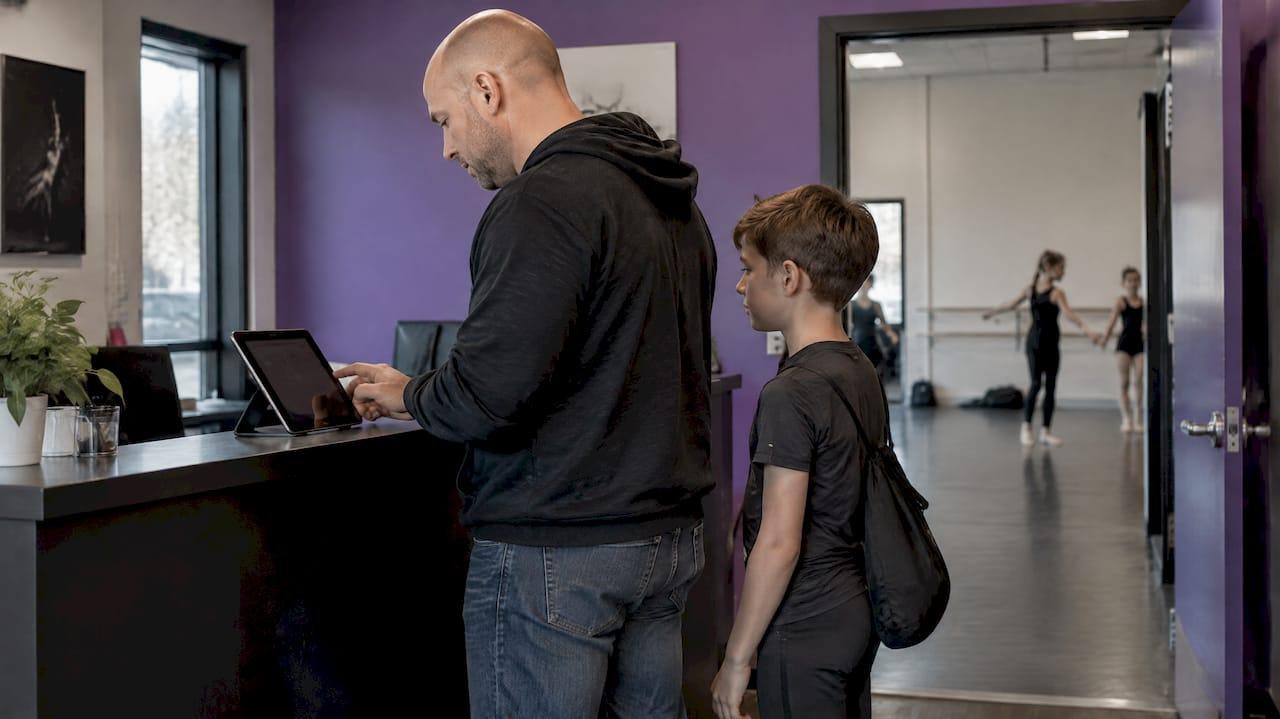
A good dance class check-in does one thing: it records, in one place and in seconds, who is in the room. Everything else a studio cares about follows from that record, including billing, makeups, parent messages and instructor pay. The simplest setup is one check-in method at the studio door, one attendance record per class, and software that connects that record to tuition and communication. That is what StudioFlare's attendance and check-in tools, parent portal and automated Stripe billing are built to do together, so the clipboard and the group text can go.
TL;DR
- Pick one check-in method per class and make it the only one: tablet at the door, instructor roll call on a phone, or a scan.
- Collect only what you need: name, class, time, status (present, late, absent) and a contact for the parent.
- Write your late, absence, makeup and drop-in rules down before launch, then let the attendance record enforce them.
- Connect check-in to billing, rosters and payroll so no one retypes anything.
- Test with one class for a week, then roll out studio-wide and ask parents and teachers what slowed them down.
Table of Contents
- What a check-in has to do for a dance studio
- Choose your check-in method
- Set up the routine in six steps
- What the check-in should collect, and what it should not
- Write the rules your check-in will enforce
- Let one attendance record feed everything else
- Moving from spreadsheets or an older system
- Test, launch and improve with real people
- Our perspective
- Put check-in and billing in one place
- FAQ
- Sources
What a check-in has to do for a dance studio
A paper sign-in sheet answers one question: was this child here? A studio needs more. Who is on today's roster? Who arrived late and missed warm-up? Who is a drop-in and has not paid? Which absences are owed a makeup? Which teacher taught which class, for how long?

When those answers live in four places (a clipboard, a spreadsheet, a text thread and the billing system), someone at the front desk spends evenings reconciling them. When check-in writes to a single attendance record, the reconciling disappears. That is the real case for moving off paper, and it matters most for owners and administrators who already feel buried in spreadsheets.
For parents the need is simpler: drop the child off, know the studio knows they arrived, and get a clear answer when a class is missed. For instructors, it is a fast roll call that does not eat the first five minutes of class.
Choose your check-in method
Studios usually end up with one of four methods. Pick based on your front-desk staffing and class size, not on what sounds modern.
| Method | Works best for | Where it goes wrong |
|---|---|---|
| Instructor roll call on a phone or tablet | Small classes, studios without front-desk staff | Teacher time lost at the start of class; late arrivals get missed |
| Tablet or kiosk at the entrance | Busy after-school blocks with many classes starting at once | Needs a clear spot and a simple way for families to identify themselves |
| Scan-based check-in (barcode or QR) | Larger studios and drop-in or adult classes | Families must remember their code; you need a fallback for forgotten ones |
| Paper sheet, typed in later | Nothing, long term | Double entry, lost sheets, errors that reach billing |
If you want to see how scanning works in a studio setting, our guide to barcode and QR check-in for dance studio attendance walks through it. Whatever you choose, give every student one identity (their profile) and make sure the check-in lands on that profile, so a sibling or a shared parent email never creates a duplicate.
We suggest a primary method plus a fallback. A tablet near the studio floor entrance, with the instructor able to mark anyone the tablet missed, covers nearly every situation. Our longer walkthrough, how to manage dance studio attendance without the clipboard, covers the day-to-day routine.
Set up the routine in six steps
1. Build clean rosters first
Check-in is only as good as the roster behind it. Before launch, confirm that each active student is enrolled in the right classes, with the parent or guardian attached. Duplicate profiles and old students still listed are the usual culprits for a roster that never matches the room.
2. Decide where families check in
Pick a spot that does not block the hallway: next to the studio entrance or the door of each room. Put a short sign at it that says what to do in one line. Studios that stream or screen content in the lobby can also use a screen to prompt arrivals, and there are practical ideas for increasing class attendance with screens.
3. Mark status, not just presence
A tap should record present, late or absent, with room for a short note. A bare checkmark cannot tell you who missed warm-up, and warm-up is when many injuries are prevented. That detail is also what your makeup and billing rules depend on.
4. Give instructors a fallback
Instructors need to be able to mark students from a phone or tablet in the room: the child whose parent forgot a code, the walk-in, the student who arrives mid-class. Decide who may change a check-in after the fact. Keeping that permission narrow keeps records trustworthy. Our guide to staff access levels explains how studios split billing, check-in and livestream access among roles.
5. Tell families what check-in is for
One short message before launch is enough: where to check in, what to do if they are late, and how to report an absence. Parents do not mind a new process. They mind finding out about it from a missed makeup.
6. Review the record weekly
Once a week, scan for students with no check-in who were expected, and for check-ins that never matched a roster. Fix the cause (a wrong enrollment, a confused family) rather than the single record.
What the check-in should collect, and what it should not
Collect the minimum that makes a class run: student name, class, date and time, status, and a parent contact. Keep medical or health details out of the check-in screen. If a student has an injury or allergy, store it in a separate, access-controlled profile field or waiver, visible only to those who need it. Digital waivers and forms handled alongside the student profile keep those details out of the front-desk view.
Minors' information deserves care. Our dance studio data privacy guide covers what to keep, who should see it and how long to hold it, and the studio platform's own privacy policy describes how StudioFlare handles data.
Write the rules your check-in will enforce
Check-in becomes powerful when your policies are explicit. Two real studio policies show how specific they can be.
The Dance School LA asks students who arrive 10 minutes or more late, excluding private lessons, to sit out the class to prevent injury. Its makeups are only for absences reported at least an hour before class because of injury or illness, and must be taken within two weeks. Ballet Academy and Movement asks families to report absences through its online portal before a makeup can be scheduled, and requires makeups within the same month with studio approval, with drop-ins needing auto-pay set up and payment before class.
Your numbers may differ, but the structure is worth copying. Settle these five questions in writing:
- Late arrivals: after how many minutes does a student sit out or need teacher approval?
- Absence reporting: how, and how far ahead? A form or portal beats a text to a teacher's personal phone.
- Makeups: which absences qualify, and what is the window?
- Drop-ins: when and how must they pay and sign a waiver?
- Tuition: is a missed class still charged? Many studios say yes and offer a makeup instead.
For a closer look at these rules, see our breakdown of drop-in policies, lateness limits and makeup windows and the absence message checklist for families. Private lessons have their own wrinkles, covered in private lesson scheduling policies.
Let one attendance record feed everything else
The reason to digitize check-in is what it connects to. When attendance is recorded once, the same record can:
- Populate rosters so instructors see who is expected and who is a drop-in.
- Support billing by showing who attended, who is owed a makeup and which drop-ins need to pay.
- Inform parent communication such as absence follow-ups and reminders.
- Back up payroll by showing which instructor taught which class, alongside a staff time clock.
- Show engagement by revealing students whose attendance is slipping before they quit. Our piece on AI attendance insights for reducing churn shows how studios act on that.
A worked example: a Saturday hip-hop class has 14 enrolled students. Twelve check in on time, one is marked late and one is absent with a reported illness. The late student is flagged for the instructor, the absent student is logged as eligible for a makeup under your policy, and the instructor's class is logged for payroll. Without a shared record, that is four separate manual steps. With one, it is a few taps.
Moving from spreadsheets or an older system
Owners who already run check-in in a spreadsheet or in older studio software worry about two things: losing history and disrupting classes. Both are manageable with a short, ordered plan.
- Export everything from the old system: students, families, enrollments, balances, unused credits, future bookings.
- Clean the file by merging duplicate families, fixing date formats and removing students who left long ago.
- Import a test batch with real data, not a sample file. Real data is where duplicates and odd formats show up.
- Reconcile active student counts, balances, credits and upcoming bookings against the old records.
- Handle payments carefully. Card numbers do not travel in a spreadsheet. Moving saved cards depends on the payment processor, so plan that step early and tell families if they need to re-enter details.
- Freeze changes in the old system for a short window, then switch on a quiet day, such as the start of a new term or after a break.
If you are leaving a legacy studio platform, our page for studios switching from older dance studio software outlines what moves over and how StudioFlare differs.
Test, launch and improve with real people
A check-in process is a habit, so launch it like one.
Week 0: staff walkthrough. Have every instructor and front-desk person check in a fake student, mark a late arrival, mark an absence and correct a mistake. If anyone hesitates, the screen or the instructions need work.
Week 1: pilot one class block. Choose a mix: a youth class with parents at drop-off, and an older class where students check themselves in. Watch what happens at the door for the first five minutes of each class.
Week 2: announce and roll out. Send families a short message with where to check in and how to report absences. Post a sign at each check-in point. Keep the old method available for one more week as a safety net, then retire it.
Ongoing: ask and adjust. After a month, ask three questions of instructors and a handful of parents: what slowed you down, what confused you, and what do you wish it did? Keep the questions short and fix the top one or two items. Holiday and break periods are good moments to refresh the process, and families often need schedule reminders then, as in our note on holiday closure schedules.

Set a simple measure: the share of classes where attendance was recorded within the first 10 minutes. If it is under 90 percent after a month, the problem is almost always placement of the check-in point or instructor habit, not the technology.
Our perspective
Most studios we talk to do not have a check-in problem, they have a disconnected-records problem. The sign-in sheet is in one place, tuition in another, and parent messages somewhere else.
We built StudioFlare specifically for dance studios, not generic fitness or wellness centers, so attendance and check-in sit next to registration, Stripe-powered tuition billing, the parent portal, staff time clock and payroll. One record, many uses.
We also charge only for active students, at $1 per month each, rather than for historical records. A studio that cleans out students who have left should see its bill reflect that. Plans are month to month, with no annual contract and no setup fee.
Our advice: start with a simple method, one rule set and one source of truth. Everything else, from livestreamed classes to AI-powered data insights, becomes easier once the attendance record is right.
StudioFlare Team
Put check-in and billing in one place
StudioFlare's Starter plan is $29 per month and Pro is $49 per month, plus $1 per month for each active student. Livestreaming is available as an add-on without a published price. There is no setup fee and no contract, so you can set up one class, try the routine above and expand from there.
See the plans and what is included at StudioFlare.
FAQ
What is the easiest way to check students in at a dance studio?
For most studios, a tablet near the entrance, with the instructor able to mark anyone it misses, is the easiest. Families find it quickly, and the instructor keeps a fallback for forgotten codes. Whatever you pick, use only one primary method per class so records stay clean.
What should a dance class check-in record?
Record the student, class, date, time and status: present, late or absent. Add a parent contact and a short note field. Keep health details out of the check-in screen and in a separate, restricted profile field or waiver.
How should a studio handle late arrivals?
Set a clear cutoff and put it in writing. One Los Angeles studio asks students 10 minutes or more late to sit out to prevent injury, and a status of late on the check-in makes the rule easy to apply consistently. Private lessons are often treated differently, so state that too.
Can check-in help with makeups and billing?
Yes. When absences and late arrivals are logged against each student, you can see who qualifies for a makeup under your policy and which drop-ins still owe payment. Automated billing then runs from the same enrollment data instead of a separate spreadsheet.
Do parents need to do anything differently?
Usually only two things: check in at the agreed spot and report absences through the studio's portal or form before class. A short message before launch and a sign at the door are normally enough.
Sources
- Policies | The Dance School LA
- FAQ | Ballet Academy and Movement
- How to Increase Class Attendance With Screens